Planworks Tables 2027.1.2.0全面适配Revit 2027,将Excel表格能力无缝集成到BIM工作流,支持双向数据同步、原生公式排版和智能报告生成,助力工程师高效管理模型数据与质检。
原始标题:Planworks Tables 2027.1.2.0
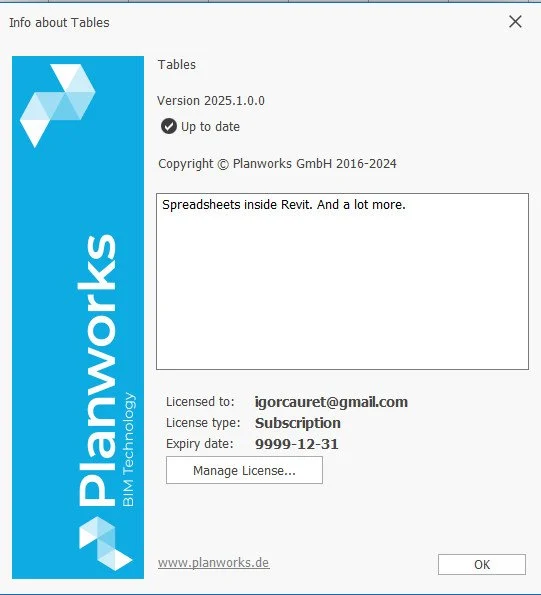
Planworks Tables(在最新版本中全面适配并支持 Autodesk Revit 2027)是一款深度集成于 Autodesk Revit 软件中的双向电子表格应用插件。它被誉为“Revit 的完美伴侣”,旨在将 Microsoft Excel 强大的表格处理能力直接引入 BIM 工作流中,帮助工程师、设计师及 BIM 管理员极大地提高数据处理和模型管理的效率。
核心功能与亮点
双向数据同步(Bidirectional Link):
用户可以直接在集成的 Excel 界面中修改参数或表格数据,并一键将数据写回 Revit 模型,反之亦然。这种实时双向链接彻底打破了 Revit 原生明细表在批量编辑时的限制。
原生 Excel 公式与排版支持:
无缝兼容 Microsoft Excel (.xlsx),允许在 Revit 内部直接使用数百种 Excel 原生函数进行复杂的参数计算,并可自由设置单元格颜色、字体、边框以及条件格式。
智能生成报告(SmartReports):
支持一键生成“一个元素对应一个工作表”的模式,特别适合用于快速创建Raumbuch(房间明细表/空间规划书)、复杂的暖通(MEP)或结构(STR)计算报告。
智能模型创建(Smart Creation):
用户不仅可以通过 Tables 管理数据,还可以通过读取表格中的配置信息,在 Revit 中批量自动生成标高(Levels)、视图(Views)、图纸(Sheets)及未放置的房间(Rooms)。
高级 BIM 管理与质检:
提供模型数据对比、嵌套过滤器、共享参数文档管理等功能,方便 BIM 经理深入 Revit 数据库进行深度质检(QA)与合规性检查。
File size: 343.1 MB
Planworks Tables for Revit is your perfect Autodesk® Revit® companion, an easy and familiar one-stop shopping solution to boost your productivity in Revit. Simple, yet powerful!
Tables is a spreadsheet application deeply integrated into Revit – think of it like having the power of Excel inside Revit. It works bidirectional – which means that you can make edits in the spreadsheet and push the values back into Revit – and is 100% compatible with Microsoft Excel. With Tables you can not only create and format beautiful Excel spreadsheets directly from Revit and create templates that you can use for further projects, but you can also edit, structure, manage or compare your Revit projects. You can write information from your xlsx Tables file back into your Revit model and use the same logic for other projects.
Additionally you can use our SmartCreation commands to create levels, views, rooms and sheets with placed views with Tables, there will be even more in the near future so stay tuned!
We also added specific commands for BIM management and coordination tasks to help you stay on top of your data and be more productive. And all of this with the refinements that a modern xlsx-based spreadsheet application can offer you. This makes BIM really fun!
System Requirements: Windows 10, 11
此处内容需要权限查看
会员免费查看