NCH VideoPad Pro 18.52 x64 Beta 是一款轻量级专业视频编辑器,支持多轨时间轴、50多种特效转场、绿幕抠像、视频防抖和节拍检测,助你快速制作卡点短视频。
原始标题:NCH VideoPad Pro 18.52 x64 Beta
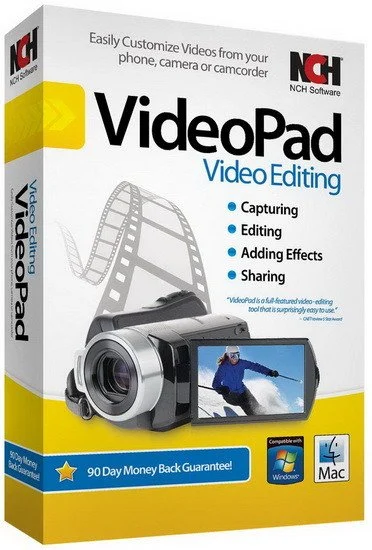
NCH VideoPad Pro 18 是由 NCH Software 推出的一款轻量级、功能全面的专业视频编辑器。2026年发布的最新版本在核心多轨编辑、特效处理和轻量化性能上进行了全面优化。
多轨时间轴界面:VideoPad Pro 18 提供了无限数量的视频、音频、图像和字幕轨道。剪辑支持磁性吸附(Magnetic Snap)和波纹编辑(Ripple Editing),插入素材时会自动调整周围剪辑。此外,它还配备了独具特色的“双时间轴视图”,可将视频和音频分离,以便进行精准的音视频同步。
丰富的视觉特效与转场:内置超过 50 种视觉特效和转场(如裁剪、亮度调整、边缘检测、色调变换,以及圆形、菱形、分割转场等)。支持绿幕扣像(Chroma Key)和 Deshaker 滤镜视频防抖功能。
智能音频工具:支持多声道音轨编辑,提供混响等音频效果。其内置的**节拍检测(Beat Detection)**功能可以分析背景音乐的波形并标记最佳剪辑点,帮助创作者快速制作对齐卡点的音乐短视频。
File size: 16.2 MB
Working with video files, especially editing them, is a task that requires a specialized application that can provide all the tools one needs. Among the software applications of this kind you can find VideoPad Video Editor. The interface of this utility is divided into several parts (e.g. Media List, Effects, Transitions, Files, Clips, Video Track, Audio Track, Overlay Track), which may make everything seem a little hard to operate. You can capture video from a camcorder or another device like a webcam or a TV capture card, and once you have added files and sequence clips to the queue, you can start editing them.
So, you can select position for the new clip (at slider’s position, to the timeline’s start or end point), add blank slides and overlays, modify media in an external editor, change playback speed and stabilize video with the Deshaker filter.
You can also create bookmarks and subtitles, import and export subtitles, select Chrome Key color, save video in the “Stereoscopic 3D” output format, apply audio effects (e.g. amplify, chorus, compressor, distortion, flanger, reverb), as well as record a narration.
Furthermore, you can apply various video effects (e.g. brightness, crop, edge detection, sepia, temperature, posterize, hue) and transitions (e.g. cross fade, reveal, split, fan, circle, diamond).
The program comes with a well-drawn help file and video tutorials while the system resource usage is moderate. It may lag sometimes between commands, but overall, VideoPad Video Editor manages to put up a good performance……………
System Requirements: Works on Windows 7 to 11
此处内容需要权限查看
会员免费查看