Nero Video 2026 v2.1.5.0 是Windows平台经典视频编辑与光盘刻录软件,新增深色模式、AI媒体管理及本地4K超分辨率修复,支持多轨编辑与专业特效,兼顾隐私与效率。
原始标题:Nero Video 2026 v2.1.5.0
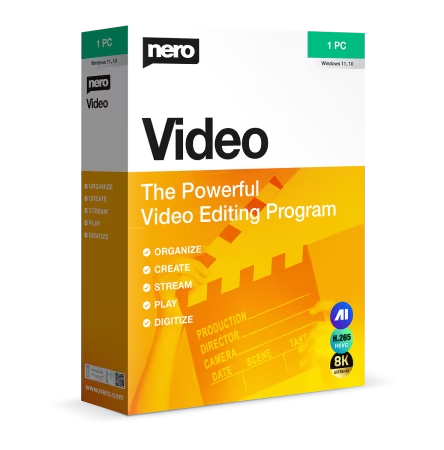
Nero Video 2026 是一款面向 Windows 系统的老牌多功能视频编辑与光盘刻录软件,该版本在延续传统优势的基础上,重点针对现代创作者的视觉习惯与 AI 辅助能力进行了升级。
🚀 2026 版本核心新特性:
- 🌙 全新深色模式(Dark Mode):2026 版最显着的变化是全面引入了深色工作区界面。该设计能显着减轻长时间剪辑的眼部疲劳,并让用户更聚焦于视频内容本身,可在设置中随时与传统浅色模式进行切换。
- 🤖 AI 媒体管理与辅助:无缝集成了本地化 AI 媒体管理技术,支持智能化的素材归类、面部标签整理,大幅减少了剪辑前期筛选素材的时间。
- 📈 AI 视频超分辨率(Upscaler)协作:协同了 Nero 全新的 Nero AI Video Upscaler 工具,允许用户在本地 PC 上直接将低清老视频或手机素材一键修复并超采样提升至 stunning 4K 分辨率,且完全不依赖云端,保障个人隐私。
Languages: Multilingual
File Size: 1.06 GB
Your complete solution for video editing: Motion tracking, multi-track editing in HD, 4K and 8K, AI-supported media management, support for portrait videos and powerful professional effects such as green screen and picture-in-picture. Customized to your needs – now you can also choose between light and dark mode.
Create
Put your shots in the spotlight: 1-Click Video Story lets you create perfect movies and slideshows in no time. Complete with music, effects, entry and exit, you can share your movies in a flash. Captivate your audience with express or advanced video editing with countless effects like tilt shift, old movie, slow motion, titles, transitions, audio filters, keyframe animations and more. With the new 1-click bar remover, you’ll be able to spruce up your photo and video footage and get it ready for the optimal big-screen movie experience.
Templates
Quickly and easily create professional videos: With over 1000 movie templates and other effects, you give your videos a very personal touch. With the new various movie templates including effect drop zone, they automatically create their own personal movies on topics such as family, celebrations, children, travel, action and more. Black bars in widescreen TV are now a thing of the past. Even vertical videos and photos from your smartphone can be easily imported as a vertical video, edited and perfectly staged thanks to vertical video templates.
Exporting and burning
Best movies for happy viewers: Nero Video software doesn’t compromise on format selection either. Edit movies in the highest quality in 4K, Full HD, and SD. Even export individual scenes from long movies in one go. Add the finishing touches to your DVD Videos™ and Blu-ray Discs™ with numerous high-quality disc menus on many themes. Then design your disc covers to your taste with Nero CoverDesigner software and play your video disc professionally with menu and chapter selection on the DVD and Blu-ray player in your living room.
Streaming
Turn your living room into a cinema: The Nero Video software convinces with Oscar-worthy streaming functions. Slideshows or videos on the TV, music from your media library on your smartphone, videos on your tablet? All possible with the free app Nero Streaming Player. With the app WiFi Transfer, which is also free, you can transfer your videos and pictures wirelessly from your mobile device to your PC and vice versa. Both apps are available for iOS and Android devices.
Playback
Choose when it’s primetime: morning, noon or night – play audio and video files in a variety of formats when you feel like it. Playing photos, elegant slideshows, video DVDs and 4K/Ultra HD videos is now even easier. You can also easily manage and play your archive of movies and TV shows, just like primetime.
System Requirements
– Windows 7 SP1 Home Premium, Professional or Ultimate (32/64 bit), Windows 8 (32/64 bit), with April 2014 Update (32/64 bit), Windows 10 (32/64 bit) , Windows 11 (32/64 bit)
– 2 GHz AMD or Intel® processor
– 1 GB RAM
– 5 GB hard drive space for a typical installation of all components (including templates, content and temporary disk space)
– Microsoft ® DirectX ® 0 compliant graphics card
– DVD disc drive for installation and playback
– CD, DVD, or Blu-ray Disc recordable or rewritable drive for burning
– WindowsMedia ® Player 9 or higher
– Internet Explorer 11 and higher
此处内容需要权限查看
会员免费查看