pmaSoft DeskCalc 10.0.7是一款专为Windows设计的数字复利纸带计算器,支持多标签操作、三角函数、货币转换及Excel导出,适合会计、审计等专业人员使用。
原始标题:pmaSoft DeskCalc 10.0.7
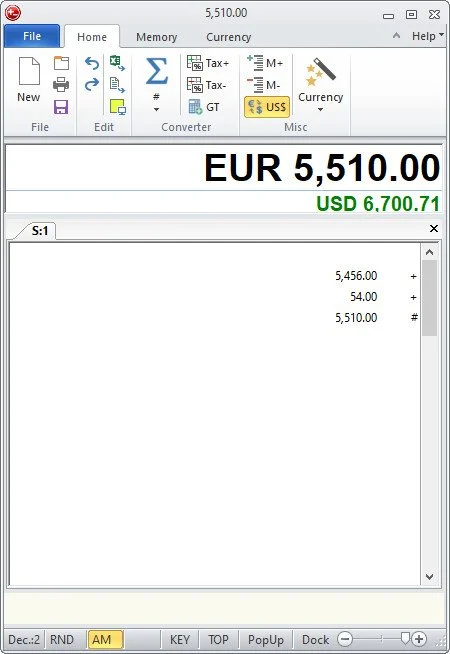
pmaSoft DeskCalc 是一款专为 Windows 系统开发的全功能数字复利纸带计算器(Adding Machine)。它完美模拟了传统机械办公计算器的“纸带记录”工作流,非常适合会计、审计、商务管理以及需要频繁处理大量数据的精算人员使用。
File size: 6.2 MB
DeskCalc is an adding machine that comes packed with a modern interface and many useful features. Not only does this program comprise all the necessary options for performing math operations, but it also offers currency conversion tools.
It boasts a clean layout that allows users to perform several actions on the go. You can perform a wide array of math operations, such as: addition, subtraction, multiplication and division, as well as use trigonometrical functions like sine, cosine, tangent and others.
It proves to be pretty easy to perform many math operations, thanks to its multi-tabbed support. It is possible to export the generated data to Excel.
The application can help you transform any amount of money into various currencies. It automatically displays the converted value in the dedicated box.
Moreover, it allows users to convert measurements from one unit to another. The program provides an extensive list with the categories that you can choose from, such as area, density, energy, force, length, mass, power, pressure, volume and others.
DeskCalc offers built-in formula interpreters, percentage calculations, and many other useful options. It also includes a floating window that displays all the operations that you are currently performing.
During our testing we have noticed that the application manages to carry out a task very quickly and without errors.
To sum things up, DeskCalc proves to be a handy program for all users who are looking for a tool that can help them perform several math operations, and convert currency and measurement units.
Here are some key features of “DeskCalc”
· Check-strip with comfortable text input per position
· Correction possibilities (rectifying
· Adding and deleting values)
· Built-in formula interpreter
· Sales tax functions
· Cache (memory function)
· Percentage calculation
· EURO-conversion
· Floating point- and fixed point-calculation
· Subdivision into thousands
· Fast correction key
· Display of the results in task strip and window title line
· Printing with heading and date/time
· Excel-export
此处内容需要权限查看
会员免费查看