本课程硬核纯实战,带你用Docker搭建RTX渲染环境,掌握USD与PhysX底层逻辑,从GUI组装机器人到Python与ROS 2桥接,实现自主导航并生成AI合成数据。
原始标题:NVIDIA Isaac Sim from Scratch: Build a Robot, Prove the GPU
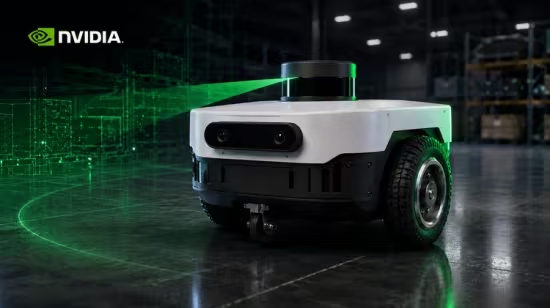
本课程是一门硬核、纯实战的 NVIDIA Isaac Sim 机器人仿真进阶课。它彻底抛弃了“运行现成模型”的传统教学,带你从零创建一个完整的移动机器人。你将通过 Docker 成功搭建并验证 RTX 显卡渲染环境,深入掌握 USD 与 PhysX 物理引擎的核心底层逻辑(如惯性、质量、摩擦力调优)。随后,你将在 GUI 中亲手组装机器人的底盘、轮子与传感器,最终通过 Python 脚本和 ROS 2 桥接,实现机器人在虚拟世界中的自主导航,并利用 Replicator 批量生成无需人工标注的 AI 合成数据。
Published 8/2026
MP4 | Video: h264, 1920×1080 | Audio: AAC, 44.1 KHz, 2 Ch
Language: English + subtitle | Duration: 9h 27m | Size: 4.09 GB
Learn NVIDIA Isaac Sim by building one robot from nothing, in the GUI, ending at ROS 2 and synthetic data
What you’ll learn
Build a full mobile robot in Isaac Sim from an empty stage, entirely in the GUI.
Install Isaac Sim in Docker and prove your RTX GPU is actually rendering
Master USD and PhysX: prims, transforms, layers, inertia, mass and friction.
Drive the robot from Python and bridge it to ROS 2 with camera and lidar.
Requirements
An NVIDIA RTX GPU with at least 6 GB of VRAM. This is a hard requirement
Basic Python
Ubuntu 22.04 or 24.04, and roughly 50 GB of free disk
No Isaac Sim, USD, Omniverse or ROS 2 experience needed. We start from File > New on an empty stage and build everything from there.
Description
This course contains the use of artificial intelligence.
Ever wondered how engineers test a robot that does not exist yet, photorealistically, with real physics, before a single part is machined? Or why your GPU sits idle while Isaac Sim renders on the wrong
chip, why an imported asset arrives sideways and a hundred times too large, or why your robot tips over the moment you press play? In this course you will build one mobile robot in NVIDIA Isaac Sim from a
completely empty stage, using the same stack real robotics teams run: Isaac Sim, USD, PhysX, Python and ROS 2.
NVIDIA’s own forums say it plainly: even paid courses do not teach you how to model a robot from scratch. They hand you a finished asset and press play. The documentation is incomplete, the site is hard
to navigate as a beginner, and many tutorials written for older versions quietly break on current ones. This course does the opposite. You select File then New, and build everything: chassis, wheels,
joints, caster, depth camera and lidar, until the robot drives under its own power and publishes to ROS 2.
This isn’t a vibe-coding course. Every hard topic is taught in three layers: the intuition (a diagram or a live sim demo), the numbers (the actual math, derived plainly, worked on screen term by term),
and the code and config (how it maps to USD, PhysX and ROS 2, and what breaks when you change it).
You’ll start from zero installing the driver, Vulkan and Docker, and work up through
– Installing Isaac Sim in Docker pinned by digest, and confirming your RTX GPU is actually the one rendering
– USD taught properly: prims, paths, Xforms and the transform stack, references, payloads, layers and MDL materials
– PhysX in depth: rigid bodies versus colliders, collision approximation cost, mass, centre of mass and density
– The inertia tensor derived from scratch for a box and a cylinder, then the robot that tips over without it
– Friction, restitution and the friction cone, plus timestep, substeps and solver iterations where determinism dies
– Building the robot in the GUI: revolute joints, the caster, the articulation root, and joint drives with real units
– Sensors: the RTX camera, depth, lidar, IMU and contact, with camera intrinsics derived from focal length to pixels
– Scene construction, SimReady assets, lighting for perception rather than beauty, and staying inside a real VRAM budget
– Differential-drive kinematics derived forward and inverse, then written into a velocity controller line by line
– Python control with the articulation controller, the simulation loop, and the same logic again in OmniGraph
– ROS 2 integration: joint states, transforms, camera and lidar published, velocity commands accepted, RViz2 against a live stage
– Synthetic data with Replicator: randomising pose, light and material, then measuring the sim-to-real gap
– A capstone autonomy run judged against numeric pass conditions, plus an honest look at what reinforcement learning adds
Along the way I break things on purpose, because these are the failures that actually cost people their weekends. GPU enumeration picks the integrated graphics and RTX never loads. The container dies with
a bare Killed message and exit code 137. A vendored asset’s own light overrides your entire scene. The robot vibrates itself apart because stiffness and timestep disagree. ROS 2 reports motion at a third
of real speed. Each one is caused on camera, diagnosed and fixed, with every number measured on the machine this course was recorded on rather than estimated.
Isaac Sim requires an NVIDIA RTX GPU and Vulkan, and will not run on integrated or AMD graphics. You will also need a recent Ubuntu release and a substantial amount of free disk space, as the container is
large. Basic Python is enough to follow along. Everything else is taught from zero.
By the end you will not just know what Isaac Sim does. You will have built a robot in it, broken it, and fixed it.
Who this course is for
Robotics engineers moving from Gazebo to Isaac Sim
ROS 2 developers who want a photorealistic, GPU-accelerated simulator
Students and researchers building robots they cannot afford to buy
Python developers curious about physics simulation and Physical AI
Anyone stuck on Isaac Sim’s docs, tutorials or version mismatches
此处内容需要权限查看
会员免费查看