本课程讲解Unity 6第一人称控制器开发,涵盖C#移动手感、土狼时间、双段跳、摄像机动态与音效反馈,并利用事件总线解耦架构完成平台关卡与游戏打包。
原始标题:Unity 6 First-Person Controller: Movement and Platforming
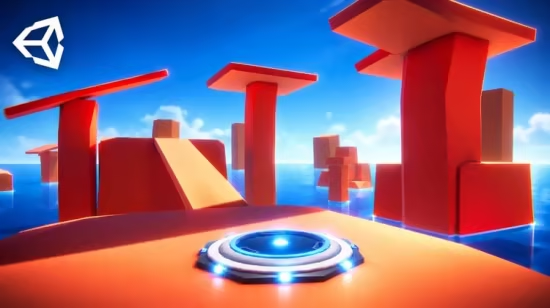
这门 Unity 6 进阶实战课程可以概括为以下两点:
- 核心机制与丝滑手感:课程聚焦于使用 C# 构建高完成度的第一人称控制器,通过物理加速与减速、土狼时间(Coyote Time)、双段跳以及坠落安全复位等机制,让平台跳跃既流畅又具有容错率;同时辅以代码驱动的摄像机动态(如走动摇头、落地震动)与音效反馈,大幅提升游戏的操作手感与沉浸感。
- 关卡设计与解耦架构:在关卡实战中,你将运用弹床、收集品、计分和限时挑战等元素打造完整的游戏体验,并学习使用全局事件总线(Event Bus)模式来实现 UI 菜单与各游戏组件之间的低耦合通信,最终掌握将独立项目规范化整理、打包成独立游戏成品的完整流程。
Published 10/2026
MP4 | Video: h264, 1920×1080 | Audio: AAC, 44.1 KHz, 2 Ch
Language: English | Duration: 6h 40m | Size: 10.94 GB
Build polished first-person movement, forgiving jumps, smooth camera motion and platforming challenges in Unity.
What you’ll learn
Build a first-person controller with smooth movement and mouse look in Unity 6.
Make platforming more forgiving with coyote time and double jumping.
Recover the player to a safe position when they fall into the water.
Bring movement to life with footsteps, jump sounds, and landing feedback.
Create and combine procedural camera motions like head bobbing and landing.
Create a platforming challenge with jump pads, collectibles, scoring, and a time limit.
Create a menu system with a global event bus for controlled communication between all your components.
Organize gameplay into focused components and prepare a standalone build.
Requirements
Basic knowledge of the Unity editor.
Basic C# programming knowledge.
Unity 6 installed on a computer suitable for development.
Description Learn to build a responsive first-person controller in Unity 6 with C#. This practical course helps you turn your existing Unity and programming knowledge into movement and platforming systems you can understand, adjust, and develop further.
If you know the basics and want to start creating your own first-person mechanics, this is a focused project to put those skills to work. You’ll write the scripts behind movement, mouse look, gravity, and jumping, and explore the choices that give a controller its feel. Why does one movement setting feel responsive while another feels awkward? What makes a jump forgiving without removing the challenge? You’ll experiment with those questions directly in Unity.
The course gives you practical experience with smooth acceleration and deceleration, coyote time, and double jumping. You’ll learn how to tune these features together and use a platforming level to test your decisions. Each change gives you a chance to connect what you write in C# with what you see and feel when you play.
You’ll also discover how camera motion and audio support your controller. Create head bobbing, landing camera effects, footsteps, and jump sounds, and learn how to connect them to the player’s actions. Safe-position recovery, pause controls, jump pads, collectibles, and scoring give you more opportunities to practice bringing gameplay systems together.
Build your understanding as you build the project. You’ll work with focused scripts and events, learning how to keep movement, feedback, and UI connected while giving each part a clear responsibility. This makes the controller easier to understand and gives you a useful starting point for experimenting with your own mechanics.
By the end, you’ll have a working first-person controller, a playable platforming level, and more confidence developing movement systems in Unity and C#. You’ll be able to adjust the project to your own ideas and carry what you’ve learned into future first-person projects.
You should already be comfortable navigating the Unity editor and writing basic C#. This course builds on that foundation through practical development and experimentation.
Who this course is for
You know the basics of Unity and C# and want to build a responsive first-person controller for movement and platforming.
You want to write your own first-person controller and understand how input, movement, mouse look, and jumping work together.
You want to make movement feel more responsive with acceleration, deceleration, coyote time, and double jumping.
You want to bring more life to your game with head bobbing, landing camera motion, and sound effects that respond to the player’s actions.
You learn best by building and testing a practical project, with a foundation you can adapt to your own gameplay ideas.
此处内容需要权限查看
会员免费查看