本课程带你从零掌握STM32 USB固件开发,涵盖枚举过程、标准描述符、控制传输与HID、U盘等实战项目,并教你用Wireshark、USBPcap等工具分析流量、排查常见故障,彻底告别黑盒开发。
原始标题:Embedded USB Programming on STM32: Build Real USB Devices
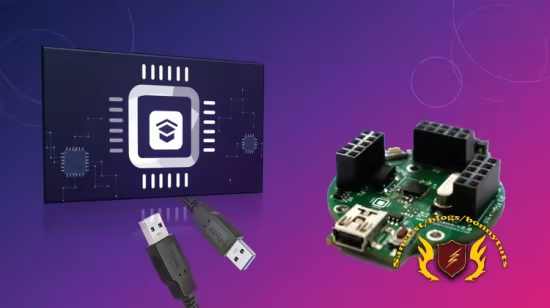
该课程专注于 STM32 微控制器的 USB 固件开发实战,旨在帮助具备 C 语言和微控制器基础的学员从零开始掌握 USB 协议。课程涵盖从底层的物理信号流、枚举过程、标准描述符编写,到高层的控制传输解码和核心传输类型选择,指导学员彻底看懂并能灵活修改 ST 官方生成的驱动代码,告别“黑盒”开发。
在项目实战方面,学员将亲手构建 USB HID 鼠标、自定义宏键盘以及 USB 大容量存储设备(U盘) 等真实软硬件项目。同时,课程还将教授使用 Wireshark、USBPcap 和 USB Device Tree Viewer 等免费工具捕获并分析真实流量,帮助学员掌握排查描述符错误、时钟配置失误及休眠唤醒挂死等常见实际工程故障的诊断技能。
Published 10/2026
Created by FastBit Embedded Brain Academy
MP4 | Video: h264, 1920×1080 | Audio: AAC, 44.1 KHz, 2 Ch
Level: All Levels | Genre: eLearning | Language: English | Duration: 23 Lectures ( 4h 25m ) | Size: 1.9 GB
Learn USB firmware development on STM32 microcontrollers through practical embedded systems projects and applications.
What you’ll learn
⚡ Build a working USB HID mouse on STM32 and watch your own cursor move on the host PC.
⚡ Build a USB mass storage device that your PC mounts as a removable drive with readable text files on it.
⚡ Read and hand-write every standard USB descriptor: device, configuration, interface, endpoint and string.
⚡ Walk through USB enumeration step by step, from attach and reset to address assignment and configuration.
⚡ Decode a USB control transfer
⚡ Pick the right transfer type for the job, and say why: control, interrupt, bulk or isochronous.
⚡ Capture live USB traffic on your own machine with Wireshark and USBPcap, and read what host and device exchange.
⚡ Dump and decode the real descriptors of a device you already own, using USB Device Tree Viewer or lsusb.
⚡ Configure the STM32 USB peripheral in STM32CubeMX: the clock tree, the pins and the USB device middleware.
⚡ Read and modify ST’s generated USB code with confidence instead of treating it as a black box.
⚡ Diagnose the USB failures that cost real projects days: descriptor length mistakes, clock misconfiguration, sleep and wakeup hangs.
⚡ Explain USB signalling: DP and DM, NRZI encoding, bit stuffing, the sync field, J and K states, SE0 and reset.
⚡ Write HID report descriptors for mouse and keyboard reports, and handle the SCSI commands a mass storage device must answer.
⚡ Finish a capstone that turns your mouse firmware into a custom HID keyboard with macro keys.
Requirements
❗ You should be comfortable with C. No prior USB knowledge is needed, we start from zero.
❗ Basic embedded experience on any microcontroller. Prior STM32 experience helps but is not required.
❗ An STM32 MCU based develpement board if you want to try hands on
❗ STM32CubeIDE, which is free. The capture and inspection tools used in the course are free too, so there is no tool to buy.
Description
==> Note: This course is still under development. The instructor is actively addingnew videos every week[b]Do you want to build practical USB skills that are useful in real embedded product development? Then this is the right course for you
USB is one of the most widely used interfaces for connecting embedded devices to computers. Keyboards, mice, webcams, storage devices, measurement instruments, audio devices, and many other products rely on USB for communication with a host system.
However, implementing USB in an embedded system is considerably more involved than working with interfaces such as UART, SPI, or I2C.
One of the main difficulties is that USB is not simply a peripheral interface. It is a host-controlled communication protocol with multiple layers of operation, standardized device classes, descriptors, endpoints, transfer types, configuration rules, timing requirements, and host-side expectations.
Engineers learning USB commonly encounter several challenges.
The USB specification is extensive and uses terminology that can be difficult to understand without first developing a clear protocol model. Concepts such as enumeration, descriptors, configurations, interfaces, endpoints, control transfers, interrupt transfers, bulk transfers, device classes, requests, packets, transactions, and transfer scheduling are closely related. Understanding one concept often depends on understanding several others.
USB development also requires understanding the interaction between multiple layers
✨ The USB electrical interface
✨ The USB protocol
✨ The USB device controller inside the microcontroller
✨ Device descriptors and class-specific descriptors
✨ Endpoint configuration
✨ USB device classes
✨ MCU vendor HAL or low-level drivers
✨ USB middleware
✨ Host operating-system behavior
✨ Host-side drivers and class support
Another difficulty is debugging. A USB device may compile and run correctly on the microcontroller while still failing to enumerate on the host. A small error in a descriptor field, endpoint definition, USB clock configuration, request response, or middleware configuration can cause the operating system to reject the device.
Learning resources can also be fragmented. Some material concentrates only on the USB specification, while other material demonstrates vendor-generated code without adequately explaining the protocol behind it. Example projects can therefore be difficult to modify because the relationship between the generated firmware, USB descriptors, middleware, and host behavior is not always clear.
This course is designed to address these problems systematically.
Course Approach
The course begins with the USB architecture and protocol before moving to STM32 implementation.
You will first understand questions such as
✨ What is USB?
✨ What is the role of the USB host?
✨ What is the role of the USB device?
✨ Why is USB host controlled?
✨ How does a device detect and establish a connection with the host?
✨ What happens during USB enumeration?
✨ What information does the device provide during enumeration?
✨ What are USB descriptors?
✨ How are configurations, interfaces, and endpoints represented?
✨ What are control, interrupt, bulk, and isochronous transfers?
✨ How does the host determine which driver or USB class should handle a device?
These concepts are explained before examining the STM32 USB implementation so that the generated firmware can be understood in the context of the USB protocol.
Hands-On Projects
The course includes two complete USB device implementations.
USB HID Mouse
You will configure an STM32 microcontroller as a USB Human Interface Device and implement a USB mouse.
This project introduces the HID class and demonstrates concepts including
✨ HID descriptors
✨ Report descriptors
✨ Interrupt endpoints
✨ HID reports
✨ Host polling
✨ Device enumeration
✨ Mouse movement data
✨ Interaction with the operating system’s standard HID driver
The host PC will recognize the STM32 as a USB mouse without requiring a custom host driver.
USB Mass Storage Device
You will then configure the STM32 as a USB Mass Storage Class device that can be mounted by the host operating system as a storage drive.
This project introduces a substantially different USB class and allows you to examine
✨ Mass Storage Class descriptors
✨ Bulk endpoints
✨ Bulk transfers
✨ Host storage requests
✨ USB Mass Storage middleware
✨ Storage abstraction
✨ Host file-system interaction
The objective of using two different USB classes is to demonstrate how the same USB architecture supports devices with very different communication requirements.
Capstone Exercise
After completing the HID mouse implementation, you will extend the HID concepts by developing a custom HID keyboard with macro keys.
The purpose of this exercise is to apply the protocol concepts independently rather than reproducing an existing implementation.
You will need to modify the HID configuration, report descriptor, report format, and application behavior according to the requirements of the new device.
Why USB Is an Important Embedded-System Skill
USB is a valuable skill for engineering students, early-career engineers, and experienced embedded professionals. It helps you move beyond basic GPIO, UART, SPI, and I2C projects and work on real products that communicate directly with a PC. Understanding USB descriptors, enumeration, endpoints, device classes, and debugging can strengthen your practical skills, improve your career opportunities, and help you handle real USB development and debugging tasks with confidence.
Use of AI During Course Development
AI-assisted tools were used during preparation of some slide decks, supporting notes, and portions of development work for this course.
The technical material isreviewed by engineers before publication. Technical claims are subjected to an additional scrutiny process against the relevant USB specification and expected hardware behavior.
The practical projects are also implemented and tested on the target hardware before being included in the course.
AI is therefore used as an engineering productivity tool during preparation rather than as the authority for technical correctness.
If an error or ambiguity is identified in the slides, notes, or implementation, students are encouraged to report it through the course Q&A or direct-message facility so that it can be reviewed and corrected.
Use of AI Tools by Students
The course does not require the use of a particular AI development tool.
Students may use development assistants such as Claude Code, ChatGPT, GitHub Copilot, or other tools if they choose.
The important USB firmware sections are explained in the course so that the implementation can be understood independently of whether an AI-assisted development workflow is used.
The course is intended to provide both the protocol knowledge and practical implementation experience required to approach USB device development systematically.
Hardware and Software Used in This Course
1. Hardware
To test all the exercise code and projects throughout this course, we use theFastBit Nano board, which is based on the STM32F303CC microcontroller.
However, you are not required to use the same board. You can use any STM32 development board or even a board from a different MCU vendor, as long as the microcontroller supports a USB Full-Speed (USB FS) peripheral. Some minor code or configuration changes may be required depending on the board you use.
2. Software
We use STM32CubeIDE and STM32CubeMX throughout the course for development and configuration.
==> Note: This course is still under development. The instructor is actively addingnew videos every week
[b]Who this course is for
⭐ Embedded engineers who want to add USB device development to their skill set
⭐ Students and hobbyists
此处内容需要权限查看
会员免费查看