本课程面向零基础学员,通过从零构建打砖块游戏,带你掌握Unity编辑器操作与C#脚本编程,涵盖2D物理、碰撞检测、道具掉落、粒子特效及界面音效等实战技巧。
原始标题:Unity 2D Game Development : Build a Brick Breaker Game
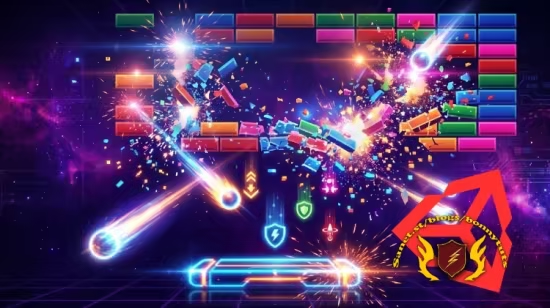
本课程是一门专门针对零基础小白打造的 Unity 2D 游戏开发与 C# 脚本编程入门实战课程。课程摒弃了枯燥的纯理论说教,采用 100% 动手实践的项目制教学法,带你通过从零构建一款高完成度的现代“打砖块”街机游戏,来攻克 Unity 引擎的核心机制。你将深入浅出地掌握 Unity 编辑器操作,并学会用 C# 编写流畅的控制代码,同时玩转 Rigidbody2D、物理材质与碰撞检测,从而让游戏中的小球实现完美的物理弹跳和速度控制。
除了基础框架搭建,课程还极具含金量地加入了商业级游戏的打磨与润色技巧(Game Juice)。你将亲手实现砖块生命值系统、随机道具掉落(如多球模式)、粒子爆炸、屏幕震动等让游戏瞬间“高大上”的视觉特效,并学会设计功能完备的游戏主菜单、暂停界面及全局音效管理。打砖块游戏是 2D 游戏逻辑的缩影,学完本课后你将建立起扎实的 2D 游戏架构思维,并能将这些核心技能无缝迁移到未来任何 2D 平台跳跃、动作或益智类独立游戏的开发中。
Published 10/2026
Created by Giorgi Luarsabishvili
MP4 | Video: h264, 1920×1080 | Audio: AAC, 44.1 KHz, 2 Ch
Level: All Levels | Genre: eLearning | Language: English | Duration: 18 Lectures ( 4h 27m ) | Size: 2.9 GB
Unity 2D Game Dev 101: Code Your First Brick Breaker Game Learn C#, 2D physics, and game logic
What you’ll learn
⚡ Unity Engine Essentials: Navigate the Unity editor, manage scene hierarchies, and organize game assets efficiently.
⚡ C# Scripting from Scratch: Write clean, readable C# scripts to handle game logic, player input, state management, and score tracking.
⚡ 2D Physics & Collisions: Master Rigidbody2D, physics materials, velocity locks, and collision events for smooth ball physics.
⚡ Core Game Mechanics: Program responsive paddle controls, brick health systems, dynamic level layouts, and game loop state changes.
⚡ Power-Ups & Special Effects: Implement dropping power-up items, particle visual effects, and screen shake for high juice and polish.
⚡ Game UI & Audio Management: Build functional UI overlays, main menus, restart buttons, and integrate background music and sound effects.
Requirements
❗ A computer (Windows, macOS, or Linux) capable of running Unity.
❗ No prior C# programming or Unity experience is required—everything is explained step-by-step!
Description
Have you always wanted to create your own video games but didn’t know where to start?Unity 2D & C# Game Development: Build a Brick Breaker Arcade Game is the ultimate beginner-friendly project course designed to take you from a complete novice to a confident 2D game developer.
Instead of getting bogged down in endless theoretical lectures, this course uses a100% hands-on, project-based approach. You will learn core C# programming concepts and Unity engine mechanics by step-by-step building, polishing, and completing a modern, fully functional Brick Breaker style arcade game.
Learn C# and 2D Physics Step-by-Step
Throughout this course, you will master the foundational pillars of 2D game development in Unity. You will start by setting up your development environment, creating your game scene, and writing clean C# code to control player movement. From there, you will dive deep into Unity’s2D Physics system, learning how Rigidbody2D and Collider2D components handle realistic bounce trajectories, velocity control, and precise collision detection.
You won’t just build a basic prototype—you will craft a polished, publishable game. We cover advanced gameplay elements like dynamic brick layout grids, particle effects for satisfying destruction, custom drop-rate power-ups (like paddle expanders and multi-ball drops), sound effects, scoring systems, and complete UI game menus (Start, Pause, and Game Over screens).
Why Learn Unity 2D Development?
Unity is the industry-standard game engine used by top indie studios and AAA developers worldwide. Mastering Unity 2D opens the door to creating mobile games, desktop titles, and web-based games. By focusing on a classic Brick Breaker game, you gain a versatile skill set that directly applies to almost any 2D arcade, puzzle, or platformer game you build in the future.
What You Will Learn
✨Unity Engine Essentials: Navigate the Unity editor, manage scene hierarchies, and organize game assets efficiently.
✨C# Scripting from Scratch: Write clean, readable C# scripts to handle game logic, player input, state management, and score tracking.
✨2D Physics & Collisions: Master Rigidbody2D, physics materials, velocity locks, and collision events for smooth ball physics.
✨Core Game Mechanics: Program responsive paddle controls, brick health systems, dynamic level layouts, and game loop state changes.
✨Power-Ups & Special Effects: Implement dropping power-up items, particle visual effects, and screen shake for high juice and polish.
✨Game UI & Audio Management: Build functional UI overlays, main menus, restart buttons, and integrate background music and sound effects.
Requirements
✨ A computer (Windows, macOS, or Linux) capable of running Unity.
✨ No prior C# programming or Unity experience is required—everything is explained step-by-step!
Who this course is for
⭐ Absolute Beginners: Anyone who wants to start making games in Unity without getting overwhelmed by complex math or code.
⭐ Aspiring Indie Developers: Creators looking to learn practical 2D game architecture through a complete, hands-on project.
⭐ C# Beginners: Programmers looking for an engaging, visual way to apply C# coding principles to game design.
此处内容需要权限查看
会员免费查看