
用Arduino打造16×2 LCD游戏
学习使用Arduino、16×2 LCD和按键,从零创建属于你的互动小游戏。适合初学者的电子与编程实践课程,涵盖电路连接与代码编写。
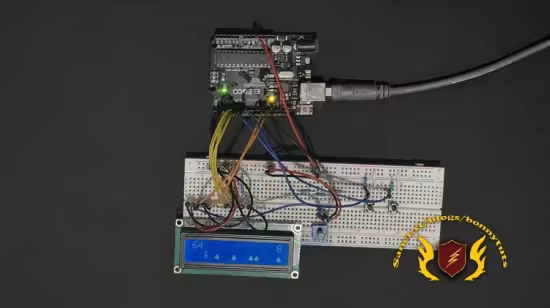
Published 5/2026
Created by Reed Harston
MP4 | Video: h264, 1920×1080 | Audio: AAC, 44.1 KHz, 2 Ch
Level: Beginner | Genre: eLearning | Language: English | Duration: 34 Lectures ( 3h 27m ) | Size: 4.8 GB
Use an Arduino, 16×2 LCD, and buttons to create an interactive game of your own creation.
What you’ll learn
⚡ Write code for a simple game on an Arduino
⚡ Use a breadboard to wire up the electronics for your game
⚡ Display your game on a 1602 LCD
⚡ Use buttons to interact with your game environment
Requirements
❗ Arduino board (such as Uno)
❗ 16×2 LCD display
❗ Other basic components like jumper wires, buttons, and resistors
❗ Basic programming experience
Description
Bring electronics and programming to life by building your own playable game with an Arduino and a 16×2 LCD display.
In this hands-on beginner-friendly course, you’ll learn how to connect common electronics components to an Arduino, write to an LCD screen, read button input, and write code that turns simple hardware into an interactive game. By the end of the course you’ll have created a real project you can play, modify, and expand.
To set you up for success, and avoid component damage, we start with a basic introduction to electronics including, what voltage and current mean, how buttons and resistors are used, and how to safely connect components. Then you’ll wire up a 16×2 LCD and buttons so you’ll be ready to build your own game step by step.
You’ll learn how to
✨ Read button presses for player input
✨ Move a character across the screen
✨ Create custom LCD characters and simple animation
✨ Add obstacles and collision detection
✨ Track score and high score
✨ Add a pause menu
✨ Increase difficulty as the game progresses
✨ and more!
You’ll also learn how to think like an embedded developer—breaking a larger idea into smaller features and building them one piece at a time.
This course is ideal for beginners who want to learn Arduino through a real project instead of disconnected examples. It’s also great for hobbyists, parents, students, and anyone curious about electronics and how to use code to interact with real hardware.
By the time you finish, you’ll have the skills to customize your game and build your own future Arduino projects.
If you’ve wanted to learn Arduino but didn’t know where to begin, this is the place.
此处内容需要权限查看
会员免费查看


