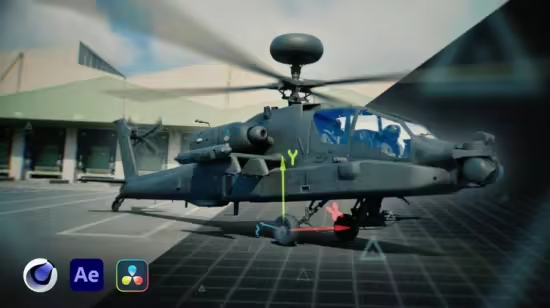
学习如何使用Cinema 4D、Redshift、After Effects与DaVinci Resolve,将CGI对象无缝整合到真人实拍素材中。本课程涵盖3D摄像机追踪、灯光匹配、AOV分层渲染与合成技巧,适合VFX初学者与电影制作人。
原始标题:Integrate CGI in Live-Action footage
Published 7/2025
MP4 | Video: h264, 1280×720 | Audio: AAC, 44.1 KHz, 2 Ch
Language: English | Duration: 2h 14m | Size: 2.26 GB
Cinema 4D, After Effects, Davinci Resolve
What you’ll learn
3D Camera Tracking
CGI Integration in Cinema 4D + Redshift
Rendering AOV Layers
Compositing in After Effects & Davinci Resolve
Requirements
No experience needed. Very Beginner friendly
Description
In this Masterclass we will delve into the fascinating world of VFX. Understanding how to seamlessly integrate 3D (CGI) into live-action footage is a crucial skill for any visual effects artist, motion graphic designer, or filmmaker. By the end of this lesson, you will have a solid grasp of the techniques and tools used to place CGI objects in live-action scenes, using Cinema 4D Redshift, Adobe After Effects, and DaVinci Resolve.We will explore the principles of 3D tracking and Compositing that are essential for creating realistic and believable visual effects. You will learn how to match the lighting and perspective of the live-action footage with your 3D objects. Through hands-on exercises and practical examples, you will gain valuable insights into the workflow and best practices for integrating 3D elements into real shots.Whether you are working on a Hollywood blockbuster, a commercial project, or a personal passion project, the skills learned in this masterclass will empower you to create stunning visual effects that captivate audiences and elevate your storytelling capabilities.Key Lesson Concepts:Learn techniques to matchmove 3D objects into live-action footageUnderstand the principles of compositing, and lighting for visual effectsMaster the workflow and best practices for VFX using Cinema 4D Redshift, Adobe After Effects, and DaVinci Resolve
此处内容需要权限查看
会员免费查看