
WSCC 是一款强大的 Windows 系统工具整合管理器,集成 Sysinternals、NirSoft 等数百款诊断维护工具,支持一键安装与自动更新,界面直观易用,显著提升系统管理效率。
原始标题:WSCC – Windows System Control Center 10.0.4.0 Commercial
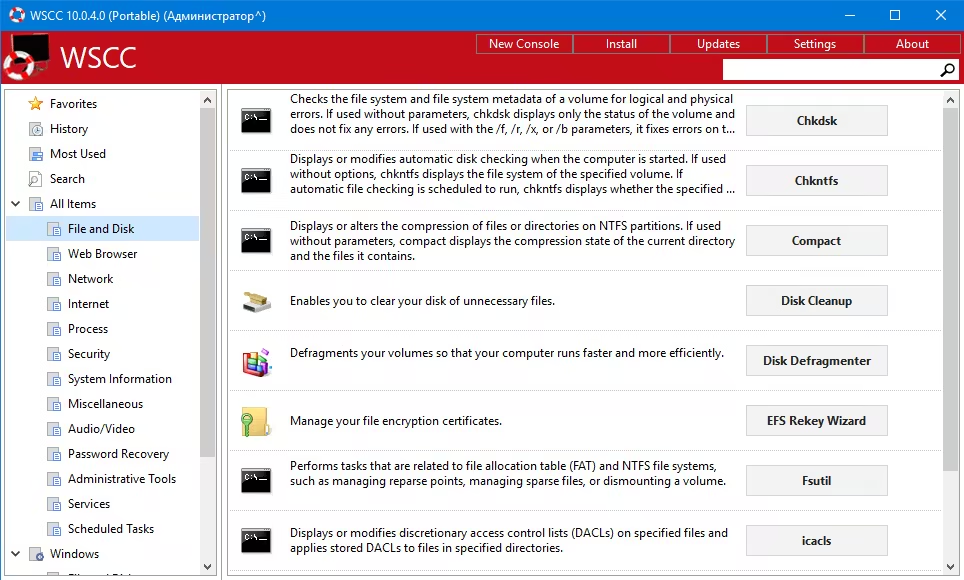
WSCC (Windows System Control Center) 是一款强大的系统工具整合管理器。它将 Windows 原生工具、Sysinternals Suite 及 NirSoft Utilities 等数百款知名诊断与维护工具集中在一个统一的界面中,支持一键安装、自动更新和分类执行。
Windows x86/x64 | File size: 19.28 MB
The interface is very simple and intuitive, thus allowing any type of user to find their way around it, regardless of their previous experience with the IT world. Aside from that, it consists of a folder structure and a panel in which to view details.
Upon first launching the utility, you can see a list of software products you can install, such as DiskMon, PortMon, TagsReport, Page Defrag and Autoruns, along with some short descriptions.
This tool also enables you to quickly access a console, so that you can execute command line applications.
The view type can be changed, from a detailed one, to icons and reports. In addition to that, you can show hidden items, add tools to favorites, search for them online and view properties.
From the settings panel, the application can be minimized to the tray, so as not to become obtrusive. Plus, you can view tooltips, check for updates, configure the search to look in software descriptions, scan while typing, as well as customize the console (background color, opacity and font).
To sum up, WSCC – Windows System Control Center is a useful piece of software, when it comes to managing utilities from the Windows Sysinternals suit, view, execute and add them to favorites. It does not put a strain on your PC’s performance and the response time is very good. Our tests did not reveal any errors, bugs, or crashes.
System Requirements: Windows 11/10/7 (all editions)
此处内容需要权限查看
会员免费查看


