探索Marcello Pattarin打造的15小时3ds Max进阶教程,深入解析欧洲直升机725的工业级建模、UV展开与VRay RTX渲染全流程,适合中高级3D创作者汲取实战经验。
原始标题:Making of Eurocopter 725 3ds max Advanced Modeling
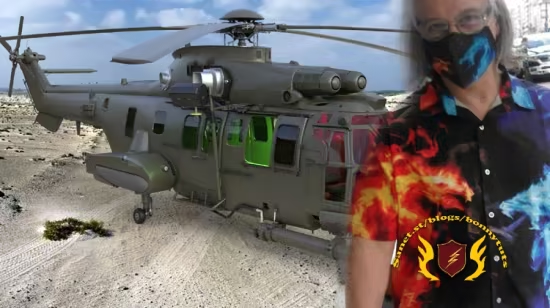
本课程由 Marcello Pattarin 倾力打造,是一套长达 15.3 小时、包含 98 课时的 3ds Max 进阶全流程 3D 制作幕后纪录教程。课程围绕结构极度复杂的“欧洲直升机 725”硬表面案例展开,深度拆解了从前期项目设置与参考资料检索,到中期利用最新修改器和脚本进行高效 UV 展图,再到后期基于 VRay RTX 的灯光渲染以及物体层级动画管理等全套工业级工作流。
作为专注于复盘和经验传授的“制作幕后(Making of)”课程,它采用 AI 语音生成的技术进行英语讲解,旨在帮助各阶段创作者汲取商业大项的实战技巧。需要注意的是,本教程定位为设计思路与流程剖析,因此并不包含课程练习源文件,若学员需要研究该高精度直升机 3D 模型,需根据第 89 课的指引前往第三方市场单独购买。
Published 7/2026
Created by Marcello Pattarin
MP4 | Video: h264, 1920×1080 | Audio: AAC, 44.1 KHz, 2 Ch
Level: All Levels | Genre: eLearning | Language: English | Duration: 98 Lectures ( 15h 20m ) | Size: 16.8 GB
Discover the stages of creating a professional 3D model, made in 3ds max.
What you’ll learn
⚡ Analyze the Modeling phases.
⚡ Analyze the Mapping phases.
⚡ Analyze the Rendering Phases.
⚡ Analyze the Animation Phases.
⚡ Materials Analysis.
⚡ Analysis of the new Vray RTX rendering.
Requirements
❗ Desire to learn and experiment with 3ds max solutions.
Description
“This course contains the use of artificial intelligence”
Note: This course uses a speaker with AI-generated voice.
Making of Eurocopter 725 3ds max Advanced Modeling.Topics: In this course we will study the Modeling, Mapping, Rendering and Animation procedures of the Eurocopter 725 3d model made in 3ds max.
This course is suitable for those who need to learn modeling, mapping render and animation tricks and procedures, referring to a very complex project.
Being a Making of you will have the opportunity to observe the author illustrate the most important phases of the project through video lessons and retrace the phases of the project.
The course illustrates the project settings in 15 hours, then moves on to the research of the reference contents, the various modeling phases, the creation of the mapping coordinates and its management through new modifiers and scripts for the management of UV groups, to the lighting settings, render settings, camera settings material management, object relationship analysis, animation modifiers, object animation and auxiliary element management, animation editing and frame management.
Note:being a Making of the course exercise files are not contained, for users who need to study the high-value 3D model, it will be possible to purchase it separately on other markeplace, in the lesson “089_Risorse Model 3D” the information is indicated.
此处内容需要权限查看
会员免费查看