
VovSoft Batch Image Resizer 2.4是一款轻量高效的Windows批量图片缩放与转换工具。支持拖拽添加文件,批量调整尺寸,保留透明背景,兼容多格式,并优化了命令行与右键菜单操作。
原始标题:VovSoft Batch Image Resizer 2.4
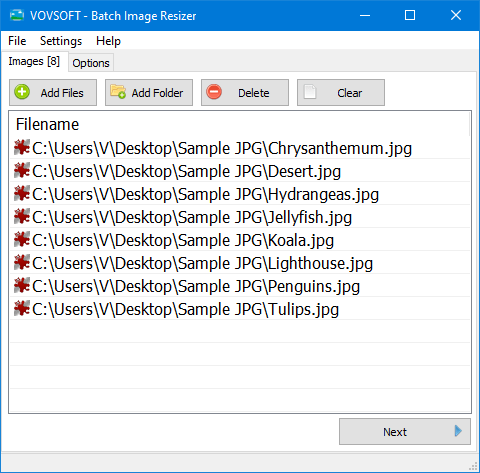
Vovsoft Batch Image Resizer 是一款轻量、高效的 Windows 批量图片调整尺寸与格式转换工具。版本 2.4 进一步优化了界面交互,支持通过命令行参数添加图片,并改进了右键“发送到(SendTo)”快捷方式和文件类型检测。
File size: 3.0 MB
Easily convert images, photos and pictures with this lightweight image resizer and image converter software. Simple and powerful, it resizes and converts images, one by one or in batch mode. Images can be bulk resized.
Select your output resolution, resize the original images by simply doing a batch resize in one go. The software supports JPEG, BMP, GIF, ICO, PNG, WMP, DDS image filetypes and preserves transparency.
You can use this highly intuitive and user-friendly application to quickly change the dimensions of multiple graphic files. You simply need to add one or more image files either via drag and drop, or by manually browsing to the location of each file.
Supports several resizing methods
Once you are done with adding the source files, you can move on to the next step, that of selecting the resizing mode that best suits your preferences. You can start with specifying if you want to resize according to percentage or pixel number, then explore the available interpolation methods. You can choose between Nearest Neighbor, Linear, Cubic or Fant methods.
Vovsoft Batch Image Resizer is an efficient solution that can help both novices and experts into quickly adjusting the height and width of their graphic files.
System Requirements: Windows 11, Windows 10, Windows 8/8.1, Windows 7 (32-bit & 64-bit)
此处内容需要权限查看
会员免费查看


