
VovSoft SVG Converter 2.0是一款适用于Windows的轻量级SVG批量转换工具,支持将矢量图无损转换为PNG、WEBP、JPEG、BMP、HTML或PDF,保留透明度,自由缩放,离线处理无限制。
原始标题:VovSoft SVG Converter 2.0
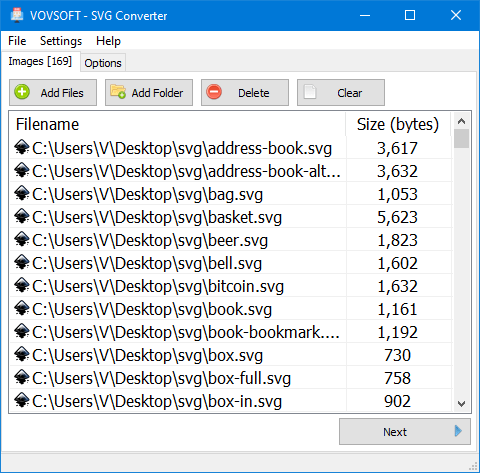
一款专为 Windows 设计的轻量级 SVG 格式批量转换工具,支持将矢量图像无损转换为 PNG、WEBP、JPEG、BMP、HTML 或 PDF 格式。
主要功能与特点
- 支持多种格式:可输出 PNG、WEBP、JPG、BMP、HTML 以及 PDF 文件。
- 批量处理:支持添加多个文件或整个文件夹进行离线批量转换,无网页端在线转换的数量与大小限制。
- 保留透明度:在转换为支持透明背景的格式时,能够完好保留图像透明效果。
- 无损自由缩放:允许用户自定义像素级的宽度和高度,进行无损缩放。
- 灰度转换:内置黑白/灰度图片转换选项(Convert to grayscale)。
File size: 13.3 MB
SVG is the extension of vector graphic files that contain scalable images. This image format is XML based. It supports animation that can contains vector graphics, raster graphics, and text. It contains data using lossless data compression algorithm. SVG files can be edited using drawing software as well as text editors.
Batch SVG Converter
Convert scalable vector images to PNG or BMP with Vovsoft SVG Converter! Conversion preserves transparency and allows you to scale lossless to any specifiy size.
There are a lot of online websites that can convert SVG images. However they have upload limitations. Vovsoft SVG Converter can convert images as many as you want through a user-friendly interface. You can easily create PNG or BMP files by selecting the input SVG files in bulk. The application will do the rest for you.
The best part of the program is that the conversion is done completely offline. You are the only controller of your private data. No image file is sent to internet in any case.
System Requirements: Windows 11, Windows 10, Windows 8/8.1, Windows 7, Windows Vista (32-bit & 64-bit)
此处内容需要权限查看
会员免费查看


