Abelssoft SendMe 2026支持Windows、Mac、Android和iOS间无缝文件传输,利用本地网络实现高速共享,无需云端,确保数据安全。拖拽操作简单,适合多设备用户高效管理文件。
原始标题:Abelssoft SendMe 2026 v2.22 Multilingual Win/macOS
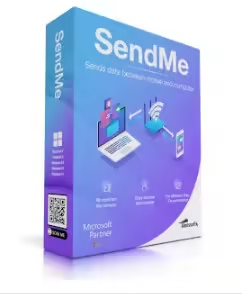
Abelssoft SendMe 是一款文件传输工具,旨在让用户在不同设备间快速、安全地共享文件 Abelssoft。它支持Windows、Mac、Android 和iOS 平台,并且能够利用本地网络进行高速传输,无需上传到云端,确保了数据的安全性。
File size: 294 MB
Easily Share Files Between Multiple PCs and Smartphones. SendMe seamlessly connects Windows and Apple computers with iPhones and Android devices.
Overview of all functions
Seamless integration across platforms
SendMe connects Windows, Mac, Android, and iOS effortlessly. (Files can be transferred securely and quickly, regardless of the operating system.)
Drag-and-drop operation
The intuitive interface lets you easily move files using a chat-like view. (No technical knowledge is required – it’s simple and straightforward.)
Optimized network speeds
SendMe utilizes your local network’s full capacity for exceptionally fast transfers. (Say goodbye to long wait times!)
Local storage security
Your data remains safe as it’s not uploaded to external servers or sent abroad. (Transfers happen exclusively within your local network, ensuring privacy.)
Direct transfers without the cloud
Files are exchanged directly through your Wi-Fi or network, bypassing cloud servers. (This guarantees maximum speed and full control over your data.)
Support for large files
No file size limitations with SendMe. (Even 4K videos or entire photo albums can be transferred effortlessly.)
Support for all major file formats
Whether it’s photos, videos, documents, or music, SendMe supports all common formats, (so you can share whatever files you need.)
此处内容需要权限查看
会员免费查看