TA Roads Toolkit 5.0是一款专为Autodesk Civil 3D开发的道路设计插件,自动化中心线、纵断面、三维模型、横断面及交叉口检查流程,比传统方法快70%,大幅提升设计效率。
原始标题:TA Solutions TA Roads Toolkit 5.0
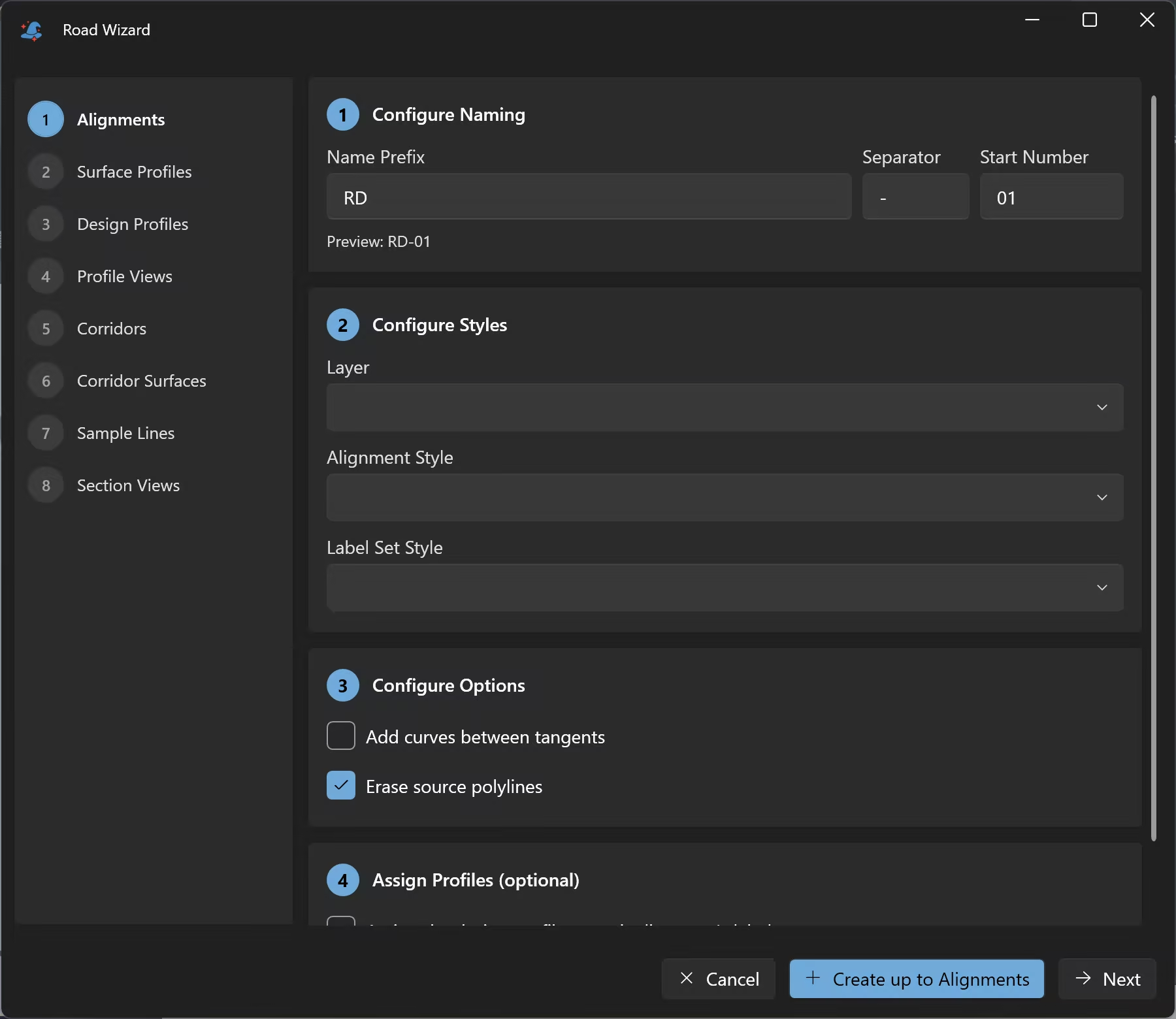
TA Roads Toolkit 是由 TA Solutions 开发的一款专为 Autodesk Civil 3D 设计的高效道路设计插件。它可以自动化整个道路设计工作流程。
核心功能
- 中心线与中线对齐 (Alignments):通过多段线 (polylines) 快速创建中线对齐,支持自定义命名规则、图层、样式和标签。
- 纵断面 (Profiles) 与纵断面图 (Profile Views):自动采样地面高程并批量创建设计纵断面及网格视图。
- 道路三维模型 (Corridors):结合中线和标准横断面,在一个面板中统一设置频率和参数,并生成顶面、基准面等曲面。
- 横断面 (Cross Sections):批量生成采样线、布置断面图及管理数据带。
- 交叉口检查 (Intersections):查找对齐交叉点,检查设计高程,并标记有效或无效的交叉点。
File size: 20.6 MB
Road design in Autodesk® Civil 3D® is not difficult. It is repetitive. Creating one profile view is a six-page wizard. Creating them for forty alignments is the same six pages, forty times, before anything is drawn. Every stage has that shape: fine once, punishing at scale. The engineering judgement takes minutes. The clicking takes days.
TA Roads Toolkit replaces each of those stages with one dialog. Select the alignments, set a naming convention, run it once. Measured at around 70% faster across the full workflow, from centreline polylines through to cross-section sheets.
Start with the Road Wizard
Eight steps take centreline polylines through to finished cross-section sheets: alignments, surface and design profiles, profile views, corridors, corridor surfaces, sample lines and section views. Stop wherever you need to with “Create up to here”, or run the whole sequence…………
Civil 3D 2025, 2026 and 2027.
System Requirements: Windows 10, 11
此处内容需要权限查看
会员免费查看