Full Convert Ultimate是一款高效数据库迁移工具,支持多种数据库格式间的高速转换,简化操作,确保数据准确,适用于企业级迁移需求。
原始标题:Full Convert Ultimate 26.09.1695 x64
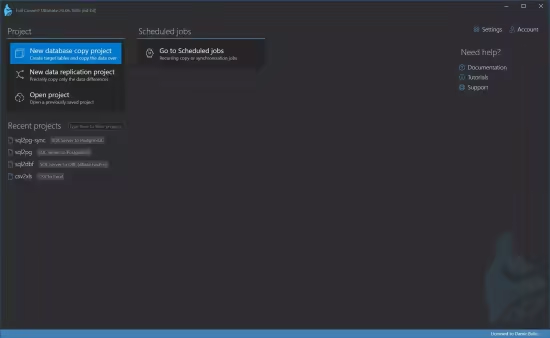
Full Convert Ultimate是一款高效的数据库迁移工具,旨在简化复杂数据库之间的转换流程。它支持多列行键、数据验证,无需复杂操作即可在多种数据库格式(如Access, Excel, SQL Server, MySQL等)之间进行高速、准确的迁移。
File size: 208.4 MB
The easiest way to copy your data to another database. We support all popular databases – ancient, modern, file-based, relational, on-premise, cloud databases.
Save time
Our software is battle-tested and highly optimized.
Remove risk
Considering rolling out your own scripts? That’s a significant risk of data errors and omissions. Developer time is expensive – use our expertise instead.
Get your job done
Having been on the market since 2004, Full Convert boasts a wealth of highly specialized knowledge that has been incorporated into its remarkably efficient and user-friendly software.
Customize for your needs
Transform the naming, override the data types, cherry-pick what you want to migrate, and much more.
Schedule and run automatically
Copy everything over night, every night. Or, synchronize the changes every 15 minutes. Compare data between source and target tables whenever you wish.
Features
If you’re looking for exhaustive list of features in the application, here you go.
Over 40 database engines supported directly with no drivers needed
If we don’t support your database directly, we provide ODBC connection you can use
There is no limit to the database and table size. Billions of records supported.
Automatic data type translation to the closest match in the target database
Automatic optimal load mode determined for each table
Customizable data type mapping rules
Customizable schema mapping rules
Customizable casing for tables and columns
Six different logs – summary, errors, warnings, whole SQL, failed SQL, JSON
Custom script and system commands can be run before or after the conversion
Both 32- and 64-bit version applications included
Dedicated console application included
Email notification on conversion in console mode
Table mapping validation
Powerful per-table mapping overriding per-project settings
Custom WHERE expressions to filter the range of data copied
Recreate target tables from scratch or copy the data into existing ones
Automatic translation of common default value expressions
Automatic detection of incompatible default expressions
Quick table de/selection with instant filter and toggle
Built-in scheduler for recurring conversions
Built-in target database browser
Full Unicode support for international character sets
Support for additional enterprise-class databases
Data comparison between the source and the target database
Sophisticated visualization of differences between compared tables
One-way synchronization of data for all tables with primary or unique key defined
Ability to set a custom row comparison key with automatic uniqueness checking
Full support for multi-column row keys
Easy verification of data copied during a standard conversion
此处内容需要权限查看
会员免费查看