Cap 0.5.9是一款专为macOS设计的轻量级开源屏幕录制工具,支持即时分享链接、本地录制与编辑,自动生成标题、摘要,导出MP4/GIF,提升工作效率。
原始标题:Cap 0.5.9 macOS
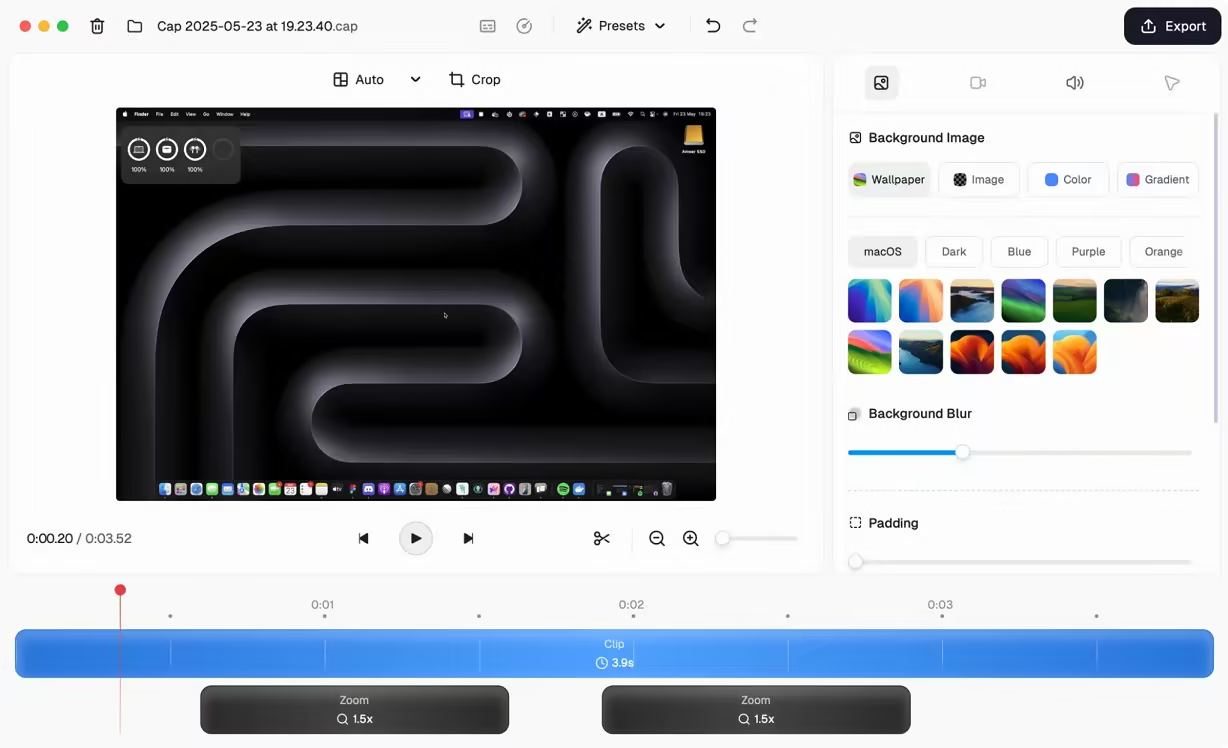
Cap 是一款专为提升效率设计的轻量级、开箱即用的屏幕录制工具。它界面极简,非常适合日常演示、Bug 汇报以及快速沟通。
核心亮点与功能:
- 即录即享: 录制结束后会自动生成专属链接,方便快速分享给他人,收件人无需下载即可直接播放。
- 轻量便捷: 软件体积小巧,运行占用资源低,启动迅速,没有任何臃肿的复杂菜单。
- 跨端支持: 除了 macOS 客户端外,还提供 Web 端,满足不同场景下的使用需求。
File Size: 107.3 MB
Cap is an open-source screen recorder for macOS and Windows. It records screen, camera, and screenshots, supports instant share links or local Studio recordings, and includes editing tools for backgrounds, padding, rounded corners, shadows, cursor effects, annotations, and exports to MP4 or GIF. It can also generate titles, transcripts, summaries, and chapters.
One app, every workflow
Whether you need speed, studio quality, or a quick screenshot — Cap has a mode for it.
Share your screen or webcam instantly
Hit record, stop, and share. Your video is live with an AI-generated title, summary, chapters, and transcript — all created automatically.
Record in full quality, edit before you share
Studio mode records at the highest quality directly to your device — no compression, no upload. Then customize backgrounds, padding, corners, and more before sharing.
Capture, beautify, share
Take a screenshot with a hotkey, then instantly enhance it with backgrounds, padding, annotations, and more — ready to share in seconds.
Built To Be Yours
Every feature respects how you actually work — your storage, your platform, your workflow. No vendor lock-in, no compromises.
System Requirements
• macOS 13.1 or later
• Apple Silicon or Intel Core processor
此处内容需要权限查看
会员免费查看