本课程基于ANSYS Workbench 2026 R1,零基础讲解有限元分析全流程,涵盖几何建模、网格划分、结构、振动、疲劳、屈曲与热分析,并融入AI辅助教学,助你快速掌握企业级仿真技能。
原始标题:ANSYS Workbench 2026 R1: Master FEA & Engineering Analysis
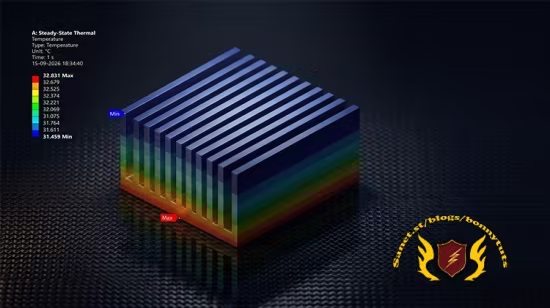
本课程是一门面向零基础学员、机械与航空航天工程专业学生及在职工程师的全流程、实战型有限元分析(FEA/CAE)进阶指南。课程紧跟行业最新趋势,采用 ANSYS Workbench 2026 R1 核心界面与仿真工作流,并创新性地融合了人工智能(AI)辅助教学,旨在帮助学员从零开始建立完整的仿真知识体系。学习本课程无需任何 ANSYS 先修经验,只需具备基础的工程概念,即可通过循序渐进的系统化实操,掌握从几何建模、材料定义、网格划分到边界条件施加的完整 FEA 仿真核心技能。
在核心技术覆盖上,课程内容深度涵盖了结构、振动、疲劳、屈曲及热学五大工业级仿真分析板块。学员不仅将精通使用 DesignModeler 进行实体、线体和表面模型的草图绘制与几何修补,掌握利用全局和局部控制优化有限元网格的高级技巧,更能独立执行包括静态结构、疲劳寿命、特征值屈曲、模态与谐响应(振动)、稳态/瞬态热分析以及复杂的热-结构耦合(Thermo-Mechanical)分析。课程结束后,学员将具备独立设置、求解并精准解读应力、应变、安全系数、天然频率、温度场及热通量等真实世界工程数据的项目实战能力,真正达到企业级岗位录用标准。
Published 9/2026
Created by CADCIM Technologies
MP4 | Video: h264, 1920×1080 | Audio: AAC, 44.1 KHz, 2 Ch
Level: Beginner | Genre: eLearning | Language: English | Duration: 33 Lectures ( 4h 51m ) | Size: 3.3 GB
Learn FEA from Beginner to Advanced with DesignModeler, Meshing, Structural, Vibration & Thermal Analysis
What you’ll learn
⚡ ANSYS Workbench 2026 R1 interface and simulation workflow
⚡ ANSYS DesignModeler for sketching and geometry creation
⚡ Create solid, line, and surface bodies for FEA
⚡ Define and assign material properties using Engineering Data
⚡ Generate and optimize FEA meshes using global and local controls
⚡ Apply loads, supports, and boundary conditions in ANSYS Mechanical
⚡ Perform Static Structural Analysis and evaluate stress and deformation
⚡ Perform Fatigue Life and Eigenvalue Buckling Analysis
⚡ Perform Modal and Harmonic Response Analysis
⚡ Perform Steady-State and Transient Thermal Analysis
⚡ Work with practical engineering components and real-world FEA projects
⚡ Interpret stress, deformation, safety factor, fatigue life, temperature, and heat-flux results
⚡ Perform Thermo-Mechanical Analysis
Requirements
❗ No prior ANSYS experience required
❗ Basic understanding of engineering concepts
❗ ANSYS software (trial or licensed version)
Description
This course contains the use of artificial intelligence. LearnANSYS Workbench 2026 R1 from scratch and become a job-readyFEA and CAE engineer with this complete, practical, and industry-focused course.
This course is designed forstudents, mechanical engineers, aerospace engineers, and professionals who want to masterFinite Element Analysis (FEA), ANSYS Mechanical, structural analysis, thermal analysis, and vibration analysis usingANSYS Workbench 2026 R1.
You will start with the fundamentals ofANSYS Workbench, DesignModeler, sketching, geometry creation, and Engineering Data, and gradually progress tomeshing, Static Structural, Fatigue, Eigenvalue Buckling, Modal, Harmonic Response, Steady-State Thermal, Transient Thermal, and Thermo-Mechanical Analysis.
This course follows alearn-by-doing approach with step-by-step tutorials and practical engineering components, helping you develop the skills required to set up, solve, and interpret real-worldFEA simulations.
ANSYS Workbench provides a powerful platform forfinite element analysis and engineering simulation. Throughout this course, you will learn how to prepare geometry, assign materials, generate and optimize meshes, apply loads and boundary conditions, solve analyses, and interpret simulation results.
What Makes This Course Unique?
✨ CoversANSYS Workbench 2026 R1 (Latest Version)
✨ Completebeginner-to-advanced FEA workflow
✨ Practical,step-by-step engineering tutorials
✨ CoversStructural, Fatigue, Buckling, Vibration, and Thermal Analysis
✨ LearnDesignModeler, Engineering Data, and ANSYS Meshing
✨ Focus onreal-world engineering simulation skills
By the End of This Course, You Will Be Able To
✨ Perform completeFEA simulations in ANSYS Workbench
✨ Create and prepare geometry usingANSYS DesignModeler
✨ Generate and optimizeFEA meshes
✨ Definematerials, loads, supports, and boundary conditions
✨ PerformStatic Structural, Fatigue, and Buckling Analysis
✨ PerformModal and Harmonic Response Analysis
✨ PerformSteady-State and Transient Thermal Analysis
✨ PerformThermo-Mechanical Analysis
✨ Interpretstress, deformation, fatigue life, safety factor, natural frequency, temperature, and heat-flux results
✨ Build practical skills forCAE and FEA engineering applications
Keywords
ANSYS Workbench 2026 R1, ANSYS Workbench course, ANSYS tutorial, ANSYS Mechanical, FEA course, Finite Element Analysis, FEA for beginners, CAE course, structural analysis, Static Structural Analysis, ANSYS DesignModeler, ANSYS Meshing, fatigue analysis, buckling analysis, modal analysis, harmonic response analysis, thermal analysis, transient thermal analysis, thermo-mechanical analysis, engineering simulation, mechanical engineering, aerospace engineering, CAE training, FEA training, ANSYS training
Who this course is for
⭐ Mechanical Engineering Students
⭐ Aerospace Engineering Students
⭐ FEA & CAE Beginners
⭐ Mechanical & Aerospace Engineers
⭐ CAE Engineers and Professionals
⭐ Engineers interested in ANSYS and simulation
⭐ Students working on engineering and academic projects
⭐ Anyone interested in FEA, CAE, and engineering simulation
此处内容需要权限查看
会员免费查看