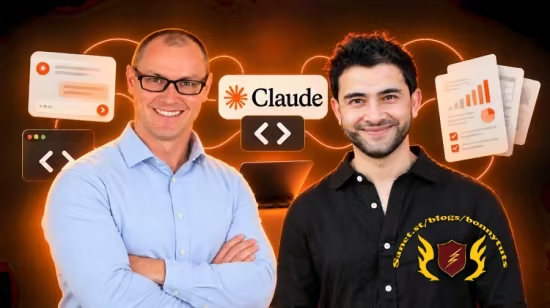
这门课程聚焦Claude Cowork for Mac,教你零代码让AI托管文件、表格与邮件,实现自动归档、批量重命名、Excel分析与定时任务,帮非技术人员彻底告别复制粘贴,提升Mac办公效率。
原始标题:Claude Cowork For Mac: Turn macOS into AI Assistant
这门由 Being Commerce 于 2026 年 10 月发布的全新课程,是一门 100% 聚焦于 AI 落地、专为非技术人员打造的 Mac 本地办公自动化实战教程。 课程围绕 Anthropic 最新的 Claude Cowork 功能展开,旨在教会小白用户不写一行代码,直接让 AI 托管 Mac 电脑的文件系统、表格和日常工作流。
在 18 节、近 2 小时的全视频实操教学中,学员将学会让 Claude 在本地自动批量重命名与归档文件、跨软件合并/压缩/加水印,并在不打开浏览器的情境下直接对 Excel 表格进行筛选、分析与图表绘制;更具颠覆性的是,课程还涵盖了通过 Claude Connectors 联动 Gmail 自动发送发票摘要邮件、自定义专属 AI 技能插件、设置定时任务让 AI 在后台自动挂机工作,以及如何识别“提示词注入”以保障本地数据安全,最终帮财务、行政、小企业主等 Mac 用户彻底打破“频繁复制粘贴进 AI 浏览器”的传统低效循环,实现全自动的 AI 职场跃升。
Published 10/2026
Created by Being Commerce
MP4 | Video: h264, 1920×1080 | Audio: AAC, 44.1 KHz, 2 Ch
Level: All Levels | Genre: eLearning | Language: English | Duration: 18 Lectures ( 1h 44m ) | Size: 2.1 GB
A practical claude cowork tutorial to automate files, folders, email, and daily tasks on Mac, no coding required.
What you’ll learn
⚡ Set up claude cowork for mac and connect it to a folder on your computer
⚡ Run your first claude cowork mac task from start to finish
⚡ Rename, organize, and sort files automatically instead of by hand
⚡ Create an expense report and manage folders with Claude Cowork
⚡ Compress, convert, merge, and watermark files without extra software
⚡ Sort, filter, chart, and summarize spreadsheets on Mac
⚡ Connect Gmail and other apps using claude connectors
⚡ Send an automated invoice summary email
⚡ Create your own custom skills and pack them into a plugin
⚡ Schedule daily tasks so Claude Cowork keeps working on autopilot
⚡ Spot prompt injection risks and keep your files safe
⚡ Set a global instruction so Claude Cowork always works your way
⚡ Apply everything in one full, real-world claude cowork tutorial project
Requirements
❗ A Mac running a recent version of macOS
❗ A Claude Pro plan or higher, since Claude Cowork is included on Pro, Max, Team, and Enterprise plans
❗ No coding or technical background needed
❗ Basic comfort using files, folders, and a web browser
❗ A free Gmail account, for the email automation lessons
Description
Your Mac is sitting on hours of work it could be doing for you right now. Claude Cowork turns macOS into a working AI assistant that reads your folders, organizes your files, fills spreadsheets, and finishes real tasks while you focus on everything else. This claude cowork for mac course takes you from the very first setup screen to full automation, with no coding involved at any point.
Most people still use AI the slow way: open a chat tab, paste in a file, copy the answer back out, repeat. That loop eats hours every week and never actually touches the files sitting on your computer. Claude Cowork mac removes that loop completely. You point it at a folder, describe the task in plain English, and it renames files, sorts spreadsheets, compresses and merges documents, or drafts an expense report, directly inside your own Mac, on your own files.
This course is written for people who are not developers and never plan to become one. Every lesson is a real, screen-recorded walkthrough, not a slide deck. You start with setup and requirements, then look through the Claude Cowork interface and run your first task from start to finish. From there, the course moves step by step into file and folder management, then into advanced file tasks like compressing, converting, merging, and watermarking files, and sorting, filtering, charting, and summarizing spreadsheets on Mac.
Once the file work is solid, the course moves into real automation. You will connect outside apps using claude connectors, send an automated invoice summary email through Gmail, and learn exactly what a skill is inside Claude Cowork and how to create your own. Two custom skills get packed into a single reusable plugin, so you stop repeating setup work every time. Later sections cover scheduling daily tasks so Claude Cowork keeps working on autopilot, even when you are away from your desk, and setting a custom global instruction so every session works the way you actually want it to.
Safety gets a full lesson of its own. Claude Cowork is still a young tool, and a wrong permission or a badly worded instruction can waste time or open the door to prompt injection, where hidden instructions inside a file try to make Claude take actions you never asked for. This claude cowork course covers that risk directly, in plain terms, so you know exactly what to check before you let an AI touch files that matter to your work.
If you skip a structured claude cowork tutorial like this one, you are left guessing at settings, permissions, and prompts on your own, and most people either avoid the tool entirely or use it for small experiments that never turn into real time saved. That is the gap this course closes. By the final section, you apply everything you learned to one complete, practical project, the same kind of task you already handle at work, but finished by your own AI assistant while you stay in control.
By the end, you will know how to rename and organize hundreds of files in minutes, turn messy spreadsheets into clean charts and summaries, send automated email reports, connect the apps you already use, and set your own rules so Claude Cowork works your way every time. Whether you run a small business, manage a team’s paperwork, create content for a living, or simply want your Mac to stop feeling like a filing cabinet, this course gets you there with short, practical lessons and no wasted time.
Enroll now and turn your Mac into a working AI assistant, not just another app sitting in your dock.
Who this course is for
⭐ Non-technical professionals who want to automate daily computer tasks
⭐ Freelancers, marketers, and small business owners tired of manual file work
⭐ Office managers and admins who handle invoices, reports, and folders
⭐ Mac users searching for a clear, beginner-friendly claude cowork tutorial
⭐ Anyone who tried Claude Code before but found it too technical
⭐ Content creators and teams who want a repeatable claude cowork course to train others
百度网盘下载: