本课程讲解用Blender与Plasticity制作流畅有机飞机造型的混合SubD/CAD工作流,含8小时以上英文配音教学与巡航导弹实战案例,分四阶段理论加实操,适合有基础的中级艺术家。
原始标题:Artstation – Advanced Design Modeling – Hybrid Subd\CAD Workflow – Blender + Plasticity
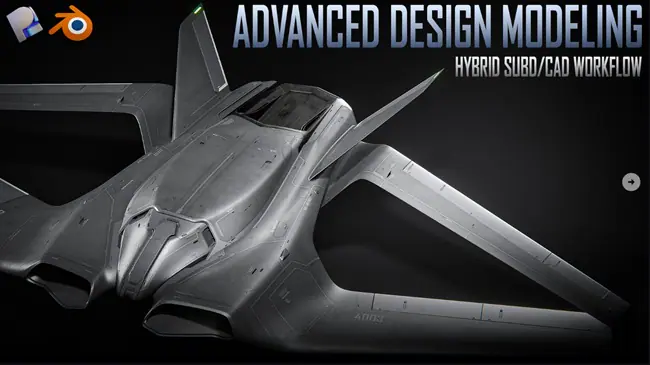
- 时长与内容:基础内容为 8+ 小时 的英文配音教学。另外根据官方最新的更新日志,该课程还额外追加了 2 小时的巡航导弹(Cruise Missile)实战案例。
- 教学结构:共分为 4 个主要阶段。每个阶段包含 10~15 分钟的理论讲解,其余部分为 4 倍速的实操过程录屏(关键步骤辅以英文旁白解说)。
- 技术替代方案:虽然实操中使用了 Plasticity Studio 版本 的
Polysplines命令,但作者同时提供了在 免费版 Fusion360 或 Moi3D 中实现相同效果的免费替代方案。
Duration 8h Project Files Included MP4
Artstation – Advanced Design Modeling – Hybrid Subd\CAD Workflow – Blender + Plasticity | 16G
Info:
This course explains my approach to creating aircraft designs with very smooth and organic shapes. It covers all the technical aspects of my workflow, as well as the design principles I use for these concepts. In each of the four stages, there is a 10–15 minutes video of theory, the rest is a timelapse of the process(4x speed) narrated in English covering what I’m doing.
Difficulty: Intermidiate – For artists who already knows the basics of Blender and Plasticity. Not a step by step tutorial.
Software: Plasticity and Blender are 99% of what we need. Plasticity Studio version would be used for Polysplines command but I will also show how you can replace this feature using free Fusion360 version or Moi3d. Photoshop will be used to enhance the final renders.
What you get: 8+ hours of content with English narration in the key parts, explaining my pipeline for creating aircraft designs with organic shapes. Project files from multiple stages of the process are included. Blender rendering files includes two scenes with a UAV on the black background.
此处内容需要权限查看
会员免费查看