
Blender 3D我的世界动画:零基础A-Z全攻略
从零开始,用Blender 4.5+打造史诗级Minecraft动画大片。140+课时,12小时深度教学,内含50个预制动画库,适合新手与中级用户,一步到位掌握3D动画创作全流程。
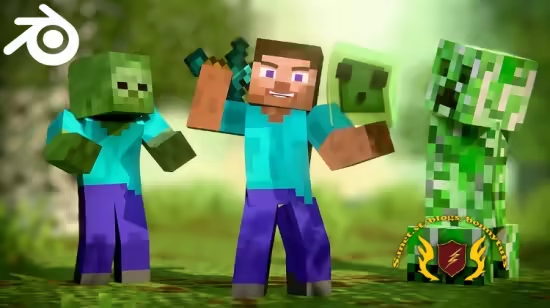
Published 1/2026
Created by Temur Aptsiauri
MP4 | Video: h264, 1920×1080 | Audio: AAC, 44.1 KHz, 2 Ch
Level: Beginner | Genre: eLearning | Language: English | Duration: 144 Lectures ( 12h 36m ) | Size: 15.4 GB
Master 3D Minecraft Animation in Blender & create epic cinematic animated films from scratch. Blender 4.5 + Compatible
Requirements
● Beginner friendly – No Blender experience required. You will learn everything you need to know.
● Made with Blender 4.5 (but also works with Blender 5.0+)
Description
This course is perfect for beginners and intermediate users. I will guide you from start to finish on how to create epic cinematic 3D Minecraft animations using the free software, Blender.
Even if you have no experience, you can still follow along with the course, as I explain everything step by step, from the beginning, and we increase the challenges as we go on.
What you will get
• 140+ Engaging Video Lessons
• Over 12 Hours of In-Depth Training
• Animation Library of 50 pre-made animations
• Blender Project File of the Final Course Animation
• Lifetime Access + Free Updates
• A Complete Start-to-Finish Minecraft Animation Project.
• Pro Tips for Rendering, Editing, & Publishing
Chapter 1: Introduction
Chapter 2: Blender Basics
Install Blender and learn basics about navigation, 3D modeling, texturing, lighting, animation, and rendering
• Basics: Navigation, Selection Tools, Location, Rotation, Scale, Origin Point, Global vs Local Space, Panels and Windows, Creating & Deleting Objects, Duplicating Objects.
• 3D Modeling: Basics, Extrude, Inset, Bevel. Loop Cut, Proportional Editing, Duplicating vs Instancing, Advanced Object Manipulation, View Modes
• Texturing: Basics
• Lighting: Sun Light, Spot Light, Area Light, HDRI Light, Sky Texture
• Animation: Basics, Timeline, FPS, Keyframe, Auto Keyframing, Keying Set, Keyframe Interpolation.
• Navigation: Camera Movement, Changing Preferences, Camera Animation
• Rendering: Image Sequence, Compositing Effects (Glare, Brightness, Contrast, Chromatic Aberration, and more)
Chapter 3: Animation Deep Dive
Dive deeper into animation and learn more about the timeline and graph editor while making a cute bouncing slime and a quick character animation
• What is Animation?
• Animation Styles
• The 12 Principles of Animation
• Basic Animation (Repeat Exercise)
• Changing the speed of Animation
• Keyframe types
• Timeline & Playback
• Markers
• Armature
• Make a Bouncing Slime Animation – Start to Finish
• Looping Animations
• Character Animation Introduction
• BPS Rig V4 Introduction
• Breathing Loop Animation
• Animation Workflows
• Jumping Animation
Chapter 4: Advanced Animation
Learn how to make Walk Cycles, how to repeat them (loop them), and how to smooth them easily. Then learn how to animate faster with the animation library and NLA editor (layered animation workflows)
• Walk Cycles – Animating from start to finish
• Smoothing Animations (Quick Way)
• Looping Walk Cycle and other animations
• Making more variations of the walk cycles
• Animation Library – Introduction and Installation
• Animation Library – How to use it
• NLA Editor – Introduction
• NLA Editor – Combining Animations
• NLA Editor – Master Strip & Root Bone
• NLA Editor – Replace vs Combine
Chapter 5: Cinematic Storytelling
Learn the essentials of cinematic storytelling to avoid making beginner mistakes and plan your shots in the correct way
• Cinematic Storytelling – Introduction
• Storytelling
• Finding Inspiration
• Camera & Composition
• Aspect Ratio
• Filmic Effects
• The 180° Rule
• Cinematic Shot Angles
• Extra Tips
• Camera Movements
• Camera Settings
• Camera Animation Tips (360° Rotation, Tracking, Dolly Zoom, Focus Pull, Cuts & Markers)
Chapter 6: Create a Full Minecraft Animation
Using your knowledge, you can now create a full cinematic short film from start to finish
• My Minecraft Animation Workflow Template presentation (Pre-Production, Production, Post-Production)
• Writing The Story
• Extracting Assets from the story
• Using AI For Assistence (Story Suggestions)
• Creating The World In Minecraft
• Exporting The Minecraft World
• How To Export Nether And The End Dimensions
• Importing The World In Blender
• Organizing The Outliner
• Editing The World
• Optimizing The Scene
• Importing Characters & Assets
• Lighting (How to light environments and characters)
• Light Linking
• Attaching Lights To Characters
• Eevee Render Settings
• Improving Vegetation
• Water Shader
• Adjusting Necessary Settings
• Compositing
• Animation – Layout Pass
• Animation – Animation Pass
• Animation – Polishing Pass
• Camera Shake Animation
• Adding Final Touches: Depth Of Field, Wind, Animating Lights, Keyframing Vector Blur)
• Render Settings & Optimization
• Output & Resolution
• Rendering & Troupleshooting
• Blender Minecraft Animation Startup File
Chapter 7: Video Editing & Post Production
Add music and sound effects to your animation, create the thumbnail, and upload your animation to share it.
• Video Editing – Getting started
• How to get Free music and Sound FX
• Sound Design
• Rendering
• Re-Rendering and Fixing Issues
• Creating a Thumbnail
• SEO – Title, Description, Tags
• Uploading & Publishing
• Finishing The Course: Congratulations!
此处内容需要权限查看
会员免费查看


