
掌握C#编程,打造Autodesk插件
2025年最新课程,从零基础学习C#与.NET,实战开发AutoCAD、Civil 3D、Revit及Navisworks插件。11小时视频教程,助你快速掌握Autodesk API,实现自动化编程。适合全水平学习者。
Published 10/2025
Created by Mohan Bachhety
MP4 | Video: h264, 1280×720 | Audio: AAC, 44.1 KHz, 2 Ch
Level: All | Genre: eLearning | Language: English | Duration: 102 Lectures ( 11h 19m) | Size: 5.13 GB
Create Powerful Add-ins for AutoCAD, Civil 3D, Revit & Navisworks, Practical C# Code for Autodesk Software Step-by-Step
Requirements
No programming skills needed. But you should have visual studio and Autocad or Civil3D or Revit or Navisworks installed.
Description
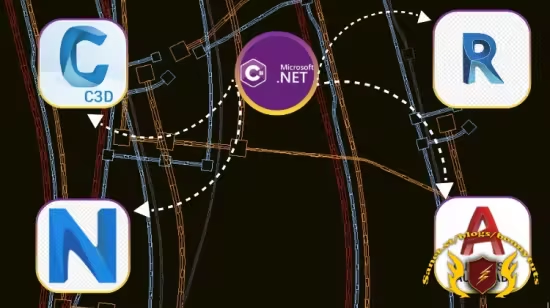
Course Overview This comprehensive course empowers you to master C# fundamentals and the .NET Framework using Visual Studio. You’ll learn to build real-world plugins for AutoCAD, Civil 3D, Revit, and Navisworks using Autodesk’s powerful APIs. From basic coding to advanced automation, each section guides you through practical development techniques. By the end, you’ll be ready to create your own tools, solve real problems, and grow as a professional developer.What You’ll LearnUnderstand the course goals, structure, and who it’s designed for.Set up your development environment with required Autodesk software and Visual Studio.Learn why C# is ideal for Autodesk plugin development.Explore .NET APIs for AutoCAD, Civil 3D, Revit, and Navisworks.Discover plugin architecture, deployment, and licensing essentials.Get started with C# and .NET Framework fundamentals.Launch your first .NET program and explore Visual Studio 2022.Master key C# concepts: namespaces, assemblies, OOP, and NuGet packages.Dive into core programming: variables, loops, conditions, error handling, and collections.Learn debugging, logging, and writing clean, maintainable code.Build AutoCAD plugins using CommandMethod, WinForms, and object creation.Work with layers, styles, user input, and custom dictionaries in AutoCAD.Automate tasks like title blocks, palettes, drawing generation, and data export.Develop Civil 3D plugins to handle surfaces, corridors, and pipe networks.Create Revit and Navisworks plugins to access families, metadata, and simulation data.Course Requirements / PrerequisitesBasic understanding of programming concepts is helpful but not mandatory.A little prior experience with AutoCAD, Civil 3D, Revit, or Navisworks plugins is required.You’ll need a Windows PC with Visual Studio 2022 and Autodesk software installed.Familiarity with C# or .NET is a plus, but everything is explained step-by-step.Enthusiasm to learn and build real-world tools is the most important requirement!Who This Course Is ForBeginners who want to break into Autodesk plugin development using C#.Intermediate developers looking to automate tasks in AutoCAD, Civil 3D, Revit, or Navisworks.BIM professionals, CAD technicians, and engineers aiming to extend Autodesk functionality.Students and hobbyists curious about .NET programming in design software.Anyone who wants to build practical tools and grow as a professional developer.
此处内容需要权限查看
会员免费查看


