
学习在Blender中建模、UV映射,用Substance Painter进行逼真纹理制作,并在Marmoset Toolbag 4中渲染,打造复古收银机3D道具,适合初级用户。
原始标题:Creating a Cash Register in Blender and Substance Painter
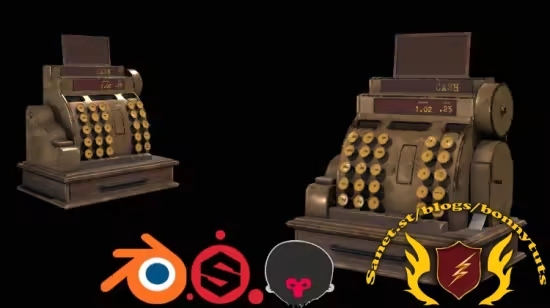
Published 3/2025
Created by Rai Haider
MP4 | Video: h264, 1280×720 | Audio: AAC, 44.1 KHz, 2 Ch
Level: Beginner | Genre: eLearning | Language: English | Duration: 9 Lectures ( 2h 41m ) | Size: 2.22 GB
Learn to create a Vintage Cash Register Prop in Blender and Substance Painter
What you’ll learn
Learn 3D Modeling in Blender
Learn to do UV mapping of any model in Blender
Learn to do Realistic Texturing in Substance Painter
Learn Realistic Rendering in Marmoset Toolbag 4
Requirements
Basic Knowledge of Blender
Basic Knowledge of Substance Painter
Description
Welcome to this easy-to-follow course where you’ll learn how to create a highly detailed and realistic 3D Vintage Cash Register. This course will guide you through the entire process, from modeling in Blender to texturing in Substance Painter and finally rendering in Marmoset Toolbag 4. Whether you’re new to these tools or already have some experience, this course is designed to enhance your skills step by step.Prerequisites:Before enrolling in this course, students should have a basic knowledge of Blender and Substance Painter. Familiarity with the interface and fundamental tools of both software will help you follow along more easily.We’ll start by modeling a detailed Vintage Cash Register in Blender. You’ll learn essential modeling techniques, including hard surface modeling, edge control, and how to create intricate details that make the cash register look authentic. Once the modeling is complete, we’ll move on to UV unwrapping. You’ll understand how to efficiently unwrap the model to ensure clean and accurate texturing later in the pipeline. Proper UV mapping is crucial for achieving realistic texturing results, and we’ll go through the best practices to optimize your workflow.After completing the model, we’ll take it into Substance Painter for realistic texturing. This part of the course will teach you how to create aged and worn-out metal surfaces, detailed engravings, dirt buildup, and other realistic effects that give the cash register its vintage look. You’ll learn how to use smart materials, generators, masks, and hand-painting techniques to bring the model to life. We’ll also explore how to export textures properly to ensure compatibility with different render engines and game engines.Finally, we’ll bring the textured model into Marmoset Toolbag 4 for rendering. This section focuses on setting up professional lighting, tweaking material properties, and rendering high-quality images of your vintage cash register. You’ll learn how to create realistic reflections, adjust the camera angles for the best presentation, and achieve a stunning final render that is portfolio-ready.Why You Should Take This Course:Comprehensive Learning: Covers the full workflow from modeling to texturing and rendering.Industry-Standard Tools: Learn how to use Blender, Substance Painter, and Marmoset Toolbag 4 effectively.Portfolio-Ready Asset: By the end of the course, you’ll have a fully detailed and textured Vintage Cash Register that can be used in your portfolio, game engine, animation, or any other project.Beginner to Intermediate Friendly: This course is structured to help both beginners and intermediate users enhance their skills with step-by-step guidance.
此处内容需要权限查看
会员免费查看


