
告别盲目复制节点!本UE5材质课程教你从零构建熔岩、宝石、传送门三大游戏级Shader特效,掌握噪波驱动与Substrate分层等底层技术,真正建立材质艺术家底层逻辑。
原始标题:Unreal Materials: Build Real Shader Effects
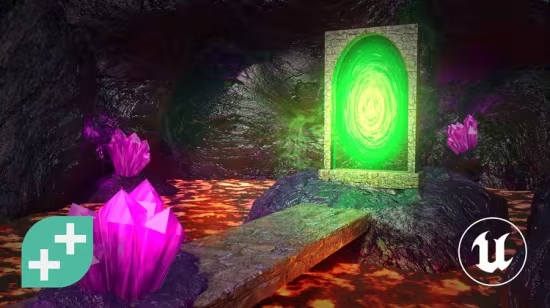
本课程是一门旨在重塑开发者材质思维、告别盲目复制节点的虚幻引擎 5 游戏级材质(Shader)实战教学课程。
课程专为希望摆脱官方商城资产依赖、独立进行视觉创作的虚幻独立开发者及转入虚幻的 Unity/Blender 艺术家打造,要求学员具备基础的引擎界面认知。
学员将在完全空白的画布上,从零构建三大经典的游戏级材质特效:利用滚动噪波、顶点位移与最新 Substrate 分层系统打造的起伏熔岩,运用视差遮蔽映射(POM)、菲涅尔(Fresnel)边缘发光与真实折射实现的通透宝石,以及通过 UV 径向扭曲、贴花投影与 Niagara 粒子完美重现的旋转传送门;课程核心专注于传授噪波驱动、材质函数复用等底层技术模式,帮助学员真正建立材质艺术家的底层逻辑,从而具备独立推演与创造全新材质特效的硬核技术实力。
Published 6/2026
MP4 | Video: h264, 1920×1080 | Audio: AAC, 44.1 KHz, 2 Ch
Language: English | Duration: 3h 10m | Size: 5.2 GB
Learn to think like a shader artist while building three game-ready shader effects in Unreal’s Material Editor.
What you’ll learn
Learn to think like a shader artist, understanding what every node does and why, so you can read and invent graphs, not just copy them.
Build three complete, game-ready shader effects in Unreal’s Material Editor from a blank graph to a portfolio-ready result.
Make lava that heaves and flows using scrolling noise textures, vertex displacement and Unreal’s Substrate layering system.
Build a gem that looks like you can see inside it using parallax occlusion mapping, Fresnel edge glow and real refraction.
Create a swirling portal using radial UV distortion, a decal projector for a floor rune, and Niagara particles for the finishing touch.
Learn the shader patterns that transfer to anything: noise-driven effects, material functions for reuse, and material instances for runtime variants.
Requirements
A basic understanding of Unreal 5’s UI. You don’t need to be an expert, but it’ll help to know your way around the editor.
Some familiarity with how game engine rendering works will help, like knowing what a texture or material slot is.
Feel ok navigating in a 3D viewport – rotating, panning, zooming, that kind of thing.
You’re not alone.The Material Editor looks intimidating until someone shows you what the spaghetti actually means.
You’ll work through every node addition in context, understanding what each connection does and why, so by the end you’re not just copying a graph, you’re reading one.
You’llbuild three complete, game-ready materials from scratch. Lava that heaves and flows using noise, vertex displacement and Unreal’s Substrate system. A gem that looks like you can see inside it, with parallax occlusion mapping, Fresnel edge glow and real refraction. A swirling portal built from radial UV distortion, a decal projector and Niagara particles.
But the real takeaway is the mental model. The same noise, masking and UV logic appears in all three effects, just remixed differently each time. Once you see the pattern, you’ll knowhow to invent your own effects without starting from scratch every time.
The course includes a custom pack of seamless noise textures so tiling never gets in the way of the learning.
Coming from Unity Shader Graph or Blender’s Shader Editor? The concepts translate directly and this course is a clean way to find your footing in the Unreal equivalent.
By the end you’ll have three portfolio-ready materials and the confidence to open the Material Editor and know exactly where to start.
Who this course is for
Perfect if you’re an Unreal dev who’s been avoiding the Material Editor and are tired of relying on marketplace assets to fill the gap.
Great if you’re an Indie dev who wants to create your own shader effects instead of hoping someone on the asset store did it for you.
Also fab for Unity developers familiar with Shader Graph who want to find their feet in the Unreal equivalent.
And good for Blender users who know the Shader Editor and want to translate those skills into Unreal.
此处内容需要权限查看
会员免费查看


