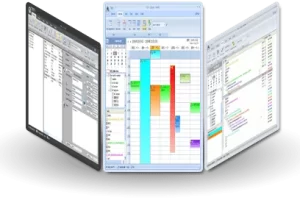
RadialZ v1.4.5 是一款专为ZBrush打造的独立悬浮式径向笔刷选择器插件,可一键调用笔刷库,避免界面杂乱,提升雕刻效率。支持Win x64,体积160 MB。
原始标题:RadialZ v1.4.5 x64

RadialZ 是一款专为 3D 雕刻软件 ZBrush 打造的独立悬浮式“径向笔刷选择器”插件。它由著名 3D 艺术家 Pablo Munoz Gomez(@pablander)开发,于 2026 年 6 月正式发布。
该插件作为一个轻量级的屏幕置顶覆盖程序运行,不占用 ZBrush 内部的运算资源,专门用来解决 ZBrush 界面因调色板和菜单过多而导致的视觉杂乱问题。
WiN x64 | File size: 160 MB
Sculpt without interruption. Every brush, one gesture away. No palettes. No hunting. RadialZ puts your entire brush library one hotkey away, floating over ZBrush exactly where you need it, gone the moment you don’t.
A simple browser demo of how RadialZ works — the real plugin lives inside ZBrush, loads brushes through the Bridge, and is faster than this preview lets on.
Every brush, a flick away.
A radial menu at your cursor, an editor to fill it, child brushes nested in a slot, an auto-scanning library, and a plugin that wires it all directly into ZBrush. It keeps you focused on the work, not just faster.
Your hotkey. Your brushes. Right there.
Press your shortcut. A radial wheel appears at your cursor with the brushes you chose. Hover a slot, lift your pen. Done. ZBrush loads the brush silently in the background.
Drag. Drop. Done.
Assign any brush to any slot in the Radial Menu Editor. Build separate menus for blockout, secondary forms, and polish. Drag from your library straight onto the visual wheel.
Three brushes in one slot.
Each slot holds up to 3 child brushes. Hover to expand a sub-menu without lifting your pen. More options, same footprint.
RadialZ talks to ZBrush.
The Bridge plugin connects RadialZ directly to your ZBrush install. No manual hotkey sequences, no scripting. Select it in RadialZ, it loads in ZBrush.
Every brush. One panel.
RadialZ scans your ZBrush library automatically. Search, filter by category, zoom thumbnails, and drag directly into your radial slots. No more hunting.
System Requirements
Windows 10 & 11
8Gb Recommended
ZBrush 2026
此处内容需要权限查看
会员免费查看