
掌握Blender摄像机追踪与绿幕特效,轻松将3D模型融入实拍画面。本课程适合影视、YouTube创作者,从基础到专业流程,助你打造电影级视效场景。
原始标题:Blender Masterclass: Camera Tracking & Vfx Combined
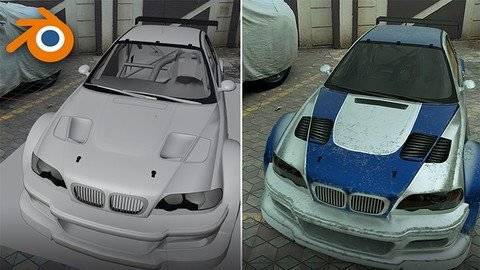
Published 1/2025
MP4 | Video: h264, 1920×1080 | Audio: AAC, 44.1 KHz
Language: English | Size: 5.07 GB | Duration: 4h 31m
Master Blender Camera Tracking and Green Screen VFX to create cinematic scenes
What you’ll learn
How to use Blender’s camera tracking tools to integrate 3D models into live-action footage seamlessly.
Techniques for removing green screen backgrounds and compositing them into professional-looking environments.
Step-by-step workflows to create cinematic scenes for films, YouTube content, and other projects.
Real-world VFX production skills, including lighting, rendering, and optimizing your workflow for professional results.
Requirements
Basic familiarity with Blender is recommended but not mandatory—we’ll guide you step by step.
A computer capable of running Blender.
A passion for learning VFX and creating stunning visual effects!
For green screen projects, having green screen footage is helpful.
Overview
Section 1: Part 1: Blender Camera Tracking Mastery
Lecture 1 1.1 Create a project and import the clip
Lecture 2 1.2 Track the markers
Lecture 3 1.3 Solve
Lecture 4 1.4 Set up the tracking scene
Lecture 5 1.5 Set up the tracking scene (continue)
Lecture 6 1.6 Place a 3D model in the scene
Lecture 7 1.7 Compositing & Render Settings
Lecture 8 2.1 Create a new project
Lecture 9 2.2 Track the markers
Lecture 10 2.3 Solve
Lecture 11 2.4 Set up the tracking scene
Lecture 12 2.5 Model the bowl and the chunk
Lecture 13 2.6 Particle Emitter
Lecture 14 2.7 Texturing
Lecture 15 2.8 Shadow Catcher in Eevee
Lecture 16 2.9 Compositing
Lecture 17 3.1 Brief
Lecture 18 3.2 Track the markers
Lecture 19 3.3 Solve
Lecture 20 3.4 Set up the floor
Lecture 21 3.5 Shadow Catcher
Lecture 23 3.7 Attach the rifle to the hand
Lecture 24 3.8 Create the window part
Lecture 25 3.9 Compositing
Lecture 26 3.10 End Note
Lecture 27 Bonus Section: Introduction
Lecture 28 1. Create a new project
Lecture 29 2. Camera track the footage
Lecture 30 3. Solve
Lecture 31 4. Set up the 3D scene
Lecture 32 5. Shadow Catcher and HDRI
Lecture 33 6. Compositing and Render
Section 2: Part 2: VFX Composition in Blender
Lecture 34 1.1 Shoot a green screen footage
Lecture 35 1.2 Remove the green screen in After Effects
Lecture 36 1.3 Create a new project in Blender
Lecture 37 1.4 Create the house
Lecture 38 1.5 Attach gameplay footage on TV screen
Lecture 39 1.6 Volumetrics and Render Settings
Lecture 40 1.7 Compositing
Lecture 41 2.1 Shoot a green screen footage
Lecture 42 2.2 Remove the green screen in After Effects
Lecture 43 2.3 Switch Light Studio
Lecture 44 2.4 Depth Map
Lecture 45 2.5 Create the grass
Lecture 46 2.6 HDRI
Lecture 47 2.7 Animate the camera and change the grass settings
Lecture 48 2.8 Animate the grass
Lecture 49 2.9 Compositing
Lecture 50 3.1 Shoot a green screen footage
Lecture 51 3.2 Remove the green screen
Lecture 52 3.3 Create a new project and import the clip
Lecture 53 3.4 Create the superhero cape using Cloth Modifier
Lecture 54 3.5 Animate the cape
Lecture 55 3.6 Cape Material & Baking the animation
Lecture 56 3.7 Terrain
Lecture 57 3.8 HDRI
Lecture 58 3.9 Volumetrics
Lecture 59 3.10 Compositing
Lecture 60 4.1 Introduction
Lecture 61 4.2 Get a 3D model of Subway Station
Lecture 62 4.3 Lighting
Lecture 63 4.4 Get your green screen footage in the scene
Lecture 64 4.5 Animate the metro
Lecture 65 4.6 Volumetric Lighting
Lecture 66 4.7 Compositing
Students interested in visual effects for movies, personal projects, or creative content.,Aspiring VFX artists who want to build essential skills for industry-standard workflows.,Blender enthusiasts who want to take their skills into the world of professional VFX composition.,Beginners and intermediate users who want to learn camera tracking and green screen VFX using Blender.
此处内容需要权限查看
会员免费查看


