
索尼发布2026.1.1版专业视频DIT软件套件,全面修复安全漏洞,新增96kHz/32位浮点音频及X-OCN RAW强化解码,是CineAlta与FX系列用户必备核心工具。
原始标题:Sony Catalyst Browse / Prepare Suite 2026.1.1
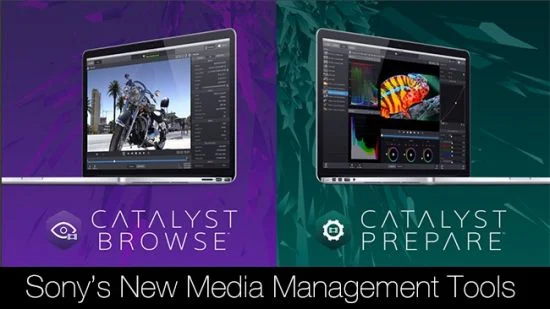
Sony Catalyst Browse / Prepare Suite 2026 是索尼(Sony)官方于 2026 年 6 月发布的专业视频数据管理与初期剪辑软件的最新安全及维护升级版本 [Sony]。该套装包含免费的素材浏览与陀螺仪防抖软件 Catalyst Browse,以及付费的高级多媒体资产管理与转码软件 Catalyst Prepare [Sony]。该版本在全面修复此前紧急安全漏洞、提升系统稳定性的同时 [Sony],完美支持了 2026 大版本引入的水平补丁手动微调、96kHz/32位浮点(32bit float)高清音频解析以及对索尼电影机高端 X-OCN RAW 格式的强化解码功能 [Sony],是索尼 CineAlta 电影机系列(如 VENICE、BURANO)和 FX 系列摄像机用户进行后期 DIT(数字影像工程师)工作流、陀螺仪校色与代理文件色彩管理的官方必备核心工具 [Sony]。
Windows x64 | File size: 694.32 MB
Catalyst Browse, a cross-platform viewing and logging tool for all Sony Pro formats, offers streamlined media management that simplifies your workflow and secures your content. Catalyst Prepare – The fast, simple, reliable path from camera to post.
Catalyst Prepare takes care of all of your media prep needs
– View your media directly from a camera, deck, or card reader
– Make a full-volume backup with checksum verification
– Organize clips into bins
– Batch copy clips
– Batch transcode clips
– Make color adjustments and apply looks
– Set in/out points
– Establish multichannel audio assignments
– Batch upload clips Ci, the Sony video cloud service
– Assemble a rough cut with the Storyboard feature
Catalyst Browse
The complex world of media production requires powerful media management. Catalyst Browse, a cross-platform viewing and logging tool for all Sony Pro formats, offers streamlined media management that simplifies your workflow and secures your content.
Catalyst Browse is a media assistant that lets you browse files from your Sony camera, deck, or card reader with detailed views of individual clips; see and edit media metadata; accurately view video using source colour space, and apply colour correction and colour looks. Once you’ve selected the clips you need, you can copy them to a local hard drive or connected NAS, upload to Sony Media Cloud Services Ci, transcode to a variety of formats, as well as create, ingest, and export Sony Professional Disc clip lists.
Browse
Quickly browse files on your device using a visual thumbnail view or detailed list.
View
See the details of each clip, check focus, mark in and out points, adjust colours, and edit metadata.
Fast Copy
Copy all clips on the media, a subset, or only the desired portion of a clip to save time and space.
Ultra Wide Colour Gamut
Review with confidence the full range of colour captured by your S-Log and RAW Sony cameras. Apply colour correction, and import/export standard ASC-CDL files with other workflow tools to save time.
Clip Lists
Create, import, and export Sony Professional Disc clip lists for quick play-out needs.
Transcode and Cloud
Transcode clips to a variety of video production formats. Upload clips directly to the Sony Ci Media Cloud Services for collaborative team review.
What’s new
– Fixed an issue that caused abnormal termination when performing correction analysis on X-OCN materials.
– Fixed security vulnerabilities.
System Requirements
– A 64-bit operating system: Microsoft® Windows 11
– 2 GHz multi-core processor (4K media: 8 core processor)
– 500 MB hard-disk space for program installation
– 4K or higher media: Solid state drive (SSD) or high speed RAID
– 8 GB RAM
– NVIDIA, AMD/ATI, or Intel GPU with support for OpenGL 2.1 is recommended for optimum performance.
此处内容需要权限查看
会员免费查看


