
本课程涵盖Power BI完整技能,从数据连接到高级DAX计算,助你轻松创建惊艳报表与仪表板,洞悉业务洞察,适合初学者到进阶用户。
原始标题:Power BI – Business Intelligence for Beginners to Advance
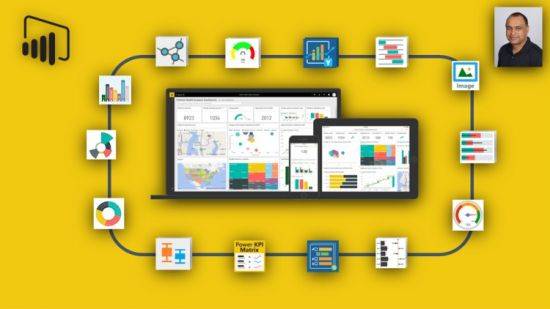
Last updated 5/2024
MP4 | Video: h264, 1280×720 | Audio: AAC, 44.1 KHz, 2 Ch
Language: English | Duration: 35h 22m | Size: 21.4 GB
The Complete and Comprehensive Course on Power BI : step by step with hands on demos with Power BI
What you’ll learn
Learn to use the easiest Business Intelligence tool to create stunning reports and dashboards.
learn how you can visualize that data in a meaningful way to revile insights into your business like never before.
learn how, with Power BI, to connect to multiple sources of data like SQL Server, Excel, CSV, JSON, XML, Web and SQL Analysis Services etc….
learn how to, with the power of basic DAX, create powerful calculations and comparisons across multiples tables of data.
Learn how to create advanced DAX measures and calculated columns for complex calculations.
Learn Dataflows (new CDM base, Azure Lake gen2), what it is and how to use and configure databases in it.
Learn how to use charts using visuals like column, line, pie, combo, Scatter, Treemap, Funnel, Gauges and KPIs to name a few.
Easily clean the messy data, model your data as per your requirement and format your report to make it look beautiful and professional.
Learn to create powerful tables and matrix of reporting data.
Learn how to use Text Boxes, Shapes, Images, maps, and other visuals.
Learn how to turn data into insight and data into interactive visualizations to tell a story.
Learn how to use advanced features like Report page tooltips and Bookmarks.
Learn to use Custom Visualizations and Themes in Power BI.
Learn and develop data modeling skills.
Learn how to automate the cleansing of data.
Learn how to collaboration and sharing of content on Microsoft’s Powerful platform.
This hands on course will prepare you to start your data analytics career.
Learn Dashboard-in-a-day at your own pace at home or at your office.
Learn Power BI Best Practices, Tip and Tricks.
Requirements
Absolutely no experience is required. We will start from the basics and gradually build up your knowledge with clear and concise step by step instructions
No prior knowledge needed, covers Power BI end to end, while providing a wealth of practical tips for those that already know Power BI.
Power BI requires that you use a work or school email address to sign up. You can’t sign up using email addresses provided by consumer email services or telecommunication providers. This includes outlook, hotmail, gmail, yahoo and others.
此处内容需要权限查看
会员免费查看


