本课程指导开发者利用Claude Code与Unity 7+集成,从零构建3D潜行逃生游戏,涵盖智能体工程、MCP协议、UI Toolkit及AI全栈资源生成,提升开发效率。
原始标题:Unity and Claude Code AI Game Developer Course
本课程旨在指导具备基础编程经验的开发者,利用 Claude Code 与 Unity 7+ 深度融合的尖端工作流,从零开始构建一款极具氛围感的 3D 潜行逃生游戏。学员将系统掌握智能体工程(Agentic Engineering)的核心技巧,包括通过 Unity 的 MCP 协议实现 AI 与编辑器的实时交互、建立严谨的 AI 编码标准与项目概述文档,以及利用 AI 辅助调试并重构代码,从而将开发效率提升至全新维度。
在游戏机制与资源生产方面,课程全面对接了 Unity 的前沿技术栈,重点攻克 UI Toolkit 界面设计、全新 Behavior 行为树 AI 系统,以及用于巡逻路径的 Splines 组件。此外,课程还将突破传统的纯代码编写范畴,详细传授如何通过 AI 全栈生成 3D 人物模型并应用骨骼绑定、制作精细的精灵与天空盒纹理,以及录制生成逼真的音效与背景音乐,全方位赋能开发者打造出高完成度的独立游戏作品。
Published 8/2026
Created by Luis Ramirez
MP4 | Video: h264, 1920×1080 | Audio: AAC, 44.1 KHz, 2 Ch
Level: Intermediate | Genre: eLearning | Language: English | Duration: 75 Lectures ( 7h 2m ) | Size: 5.6 GB
Build a game in Unity using Claude Code. Level up your agentic engineering game by mastering Claude Code’s features.
What you’ll learn
⚡ Use Claude Code efficiently to write code & build games with AI
⚡ Work with Unity’s MCP
⚡ Get better at agentic engineering using Claude Code
⚡ Program game mechanics: Puzzles, Dialogue, Player Detection
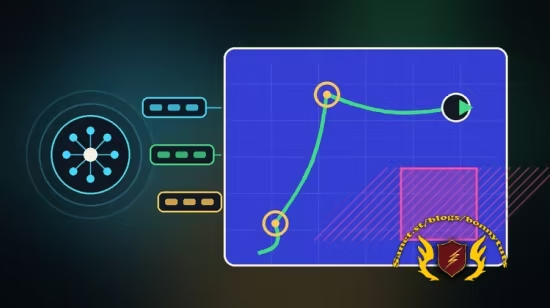
⚡ Use Unity’s Latest Packages: UI Toolkit, Behavior, Splines
⚡ Generate Models, Apply Rigging, and Animate Humanoid Characters
⚡ Generate Audio, Sprites, and Cubemaps
Requirements
❗ Basic programming experience is required
❗ You will need a Claude Code subscription to efficiently use it
❗ A PC or Mac capable of running Unity 7 or later.
Description
This course contains the use of artificial intelligence.
Are you ready to create a game with the aid of Claude Code?Whether you’ve only created one game or are a seasoned developer, thiscomprehensive and standalone course will guide youstep by step through building a complete game from scratch usingUnity and Claude Code.
If you’ve never used AI before with Unity, that’s not a problem. This course offers a crash course in prompting, connecting your agent to Unity, and establishing a steady workflow to become accustomed to using AI to help you build your dream game.
Once your skills have been solidified, we ramp things up by learning how to generate models, sprites, textures, audio, and so much more. Here’s what you can expect to learn
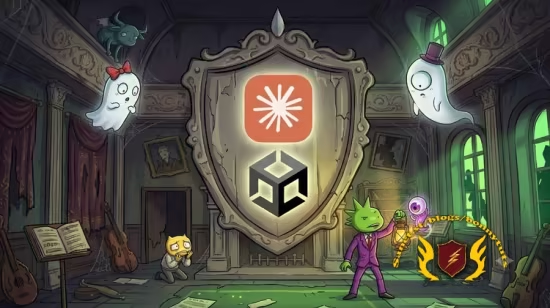
So, what are we going to be creating in this course? We’ll be creating a stealth game.Escape the haunted house. If the ghosts let you. Build a complete stealth game where the player has to reach the other side of a house while ghosts and statues prowl the halls looking for them.
✨Make your project AI-ready from day one –Set up a project overview document that teaches Claude your files and structure, then lock in coding standards so the code you get back is code you’d actually ship.
✨Add Coding Standards – Learn how to tame Claude to generate code in the exact way you want it, from naming conventions to implementing design patterns.
✨Learn to prompt like an engineer – Learn how to properly create prompts using plan mode to review each step AI will take to perform your task. If it doesn’t seem right, you’ll know how to refine it to get the desired result.
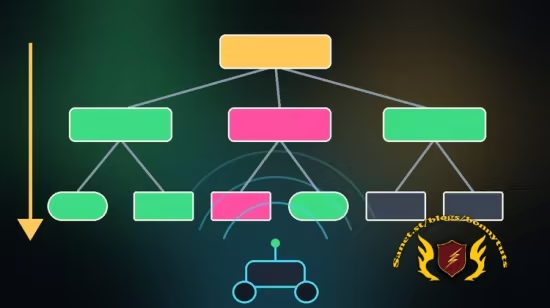
✨Master Unity’s Behavior package –Choose between player states with event, action, and flow nodes, then extend the system with your own custom behavior actions.
✨Direct the AI, don’t just ask it – Learn to read the documentation and tell your agent exactly which methods and properties to use, so you get the implementation you wanted the first time.
✨Bring your enemies to life – Animate with code through motion tweening, move enemies along patrol paths with the Spline package, and work around its limits to get the behavior you actually want.
✨Build a detection system with real consequences – Fade the screen, freeze the player, respawn them, and make getting caught feel like it matters.
✨Design a keys-and-doors puzzle system – Generate concept art with AI, turn it into models, create your own materials, and wire it all up through the event system you’ve already built.
✨Generate a fully rigged 3D character –Model, rig, and animate an NPC with Unity’s assistant. Afterward, we’ll build adialogue system to talk to your characters and display dialogue to the player.
✨Work fearlessly with the checkpoint system – Make bold changes to your project and roll them back safely whenever an experiment goes sideways.
✨Never just generate and move on – Review, refactor with enums, and optimize. The habits that separate developers who use AI well from developers who ship broken code fast.
✨Set the mood with sound. Add music and effects, and learn to generate your own soundtrack for your game.
✨Polish it until it’s genuinely creepy. Craft cubemaps for an ominous sky and write a shader that renders an X-ray silhouette of your player through walls.
Who this course is for
⭐ Beginner and experienced game developers who want to efficiently use Claude Code
此处内容需要权限查看
会员免费查看