2026年最新Autodesk Fusion 360零基础实战教程,通过真实机械设计项目,系统掌握3D建模、装配、运动分析与工程图纸输出,助力您独立完成专业级设计。
原始标题:Complete Autodesk Fusion 360 Course (2026)
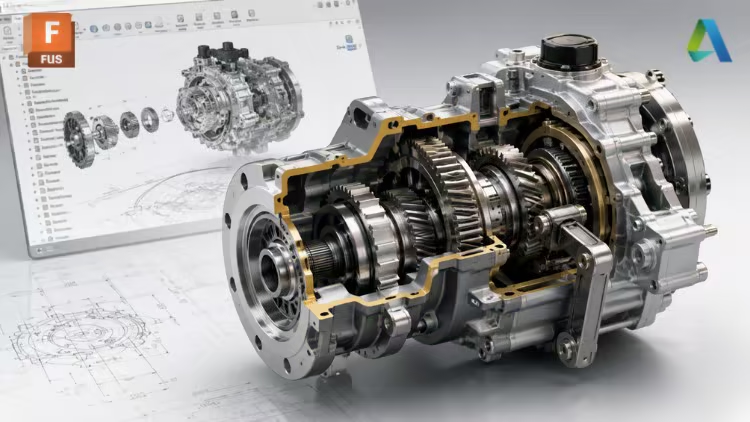
本课程是一门面向零基础初学者的 Autodesk Fusion 模块化实战指南,采用机械工程师和产品设计师的真实项目工作流,带你从零开始系统掌握 3D 零件建模、智能组件装配(含机构运动分析与干涉检查)以及符合制造标准的二维技术工程图纸(含剖视图与爆炸图)输出;课程融入了 AI 辅助教学,拒绝死记硬背软件命令,而是通过循序渐进的工程案例,让你在实际操作中深刻理解每项设计工具的应用场景与核心逻辑,最终具备独立完成专业级机械设计与工程文档制作的综合实战能力。
Published 8/2026
MP4 | Video: h264, 1280×720 | Audio: AAC, 44.1 KHz, 2 Ch
Language: English | Duration: 5h 19m | Size: 3.39 GB
Master 3D modeling, assemblies & technical drawings through real mechanical design projects.
What you’ll learn
Master Autodesk Fusion from scratch, even with no prior CAD experience.
Create professional 3D mechanical parts using industry-standard modeling techniques.
Build functional assemblies by applying joints, constraints, and motion analysis.
Produce professional technical drawings with dimensions, sections, exploded views, and documentation.
Requirements
No prior experience with Autodesk Fusion is required. This course is designed for complete beginners.
A computer capable of running Autodesk Fusion and a willingness to learn are all you need.
Description
This course contains the use of artificial intelligence.
Whether you’re a complete beginner or looking to strengthen your CAD skills, this course will teach you how to confidently use Autodesk Fusion to design professional mechanical parts, create functional assemblies, and produce technical drawings ready for manufacturing.
This course follows a practical, project-based approach that mirrors the workflow used by mechanical engineers and product designers in real-world applications. Rather than simply demonstrating software commands, you’ll learn when and why to use each tool while developing complete engineering projects.
We’ll begin by installing Autodesk Fusion, exploring the interface, and learning how to navigate the workspace efficiently. Once you’re comfortable with the fundamentals, you’ll start creating 3D mechanical parts through carefully designed exercises that introduce new modeling techniques step by step.
After mastering 3D modeling, you’ll move into the assembly environment, where you’ll learn how to create functional mechanisms using joints, constraints, motion analysis, interference detection, and professional assembly techniques. Throughout the course, you’ll complete real engineering projects, including mechanical mechanisms that reinforce the concepts learned in each section.
Finally, you’ll learn how to create professional technical drawings using industry-standard documentation practices. You’ll generate orthographic views, sections, detail views, dimensions, exploded views, balloons, parts lists, GD&T annotations, datums, and manufacturing-ready documentation.
By the end of this course, you’ll be able to
– Design professional mechanical components from engineering drawings.
– Create complete assemblies with realistic mechanical motion.
– Generate professional technical documentation for manufacturing.
– Apply industry-standard CAD workflows used by mechanical engineers.
– Complete your own Autodesk Fusion projects with confidence.
In addition, this course will continue to receive new lessons, projects, and updates over time, giving you lifetime access to continuously expanding content at no additional cost.
I look forward to helping you master Autodesk Fusion and take your CAD skills to the next level.
Who this course is for
Beginners who want to learn Autodesk Fusion from the ground up.
Mechanical engineering students looking to develop practical CAD skills.
Engineers, designers, and technicians who want to create professional 3D models, assemblies, and technical drawings.
Anyone interested in mechanical design and product development using Autodesk Fusion.
此处内容需要权限查看
会员免费查看