掌握LangGraph、MCP协议,通过4个生产级项目构建AI Agent,涵盖RAG、工具调用与Docker部署,零基础可学。
原始标题:AI Agents & LLM Engineering: From Zero to Production
该课程是一门从零开始的 Python AI 智能体(AI Agent)全栈工程化实战教程,旨在通过构建文献研究、知识库 RAG、团队协作及个人助理等 4 个生产级项目,指导学员掌握 LangGraph、MCP 协议、安全防护及 Docker 部署等核心技术。课程采用手写核心逻辑到主流框架进阶的模式,最终培养具备可预测自动化能力的 AI 工程师。如需了解详情,请访问 Udemy。
Published 8/2026
MP4 | Video: h264, 1920×1080 | Audio: AAC, 44.1 KHz, 2 Ch
Language: English | Duration: 3h 59m | Size: 1.61 GB
Build 4 real AI agents in Python: tool use, RAG, LangGraph, MCP and production. No prior Python needed.
What you’ll learn
Build an agent loop that calls tools, reads the results, and keeps working until the task is done
Write tool definitions an LLM can actually call, and handle the failures when it calls them wrong
Build a research agent that searches, tracks sources, and writes reports with real citations
Turn documents into embeddings, chunk them well, and search them semantically by hand and with a vector database
Build a RAG chatbot that answers from your documents and admits when it doesn’t know
Orchestrate multiple agents with LangGraph: state, conditional edges, revision loops, memory, human-in-the-loop
Write your own MCP server with tools, resources, and prompts, and connect it to agents and to Claude Desktop
Evaluate agents with a golden set, deterministic checks, and LLM-as-judge instead of guessing
Add guardrails for scope, prompt injection, moderation, and personal data
Deploy an agent as a FastAPI service in Docker, and control what it costs to run
Requirements
A computer with Windows, macOS, or Linux, and an internet connection
No programming experience required. Python is taught from scratch in Section 2
API keys for OpenAI and Anthropic (paid, but the course is built around low-cost models and small prompts)
Willingness to write code yourself rather than copy and paste it
Description
This course contains the use of artificial intelligence.
You can call an LLM. Now what?
Sending a prompt and getting text back is the easy part. You have probably done it already. The hard part is everything after it: getting a model to search the web, read your documents, use real tools, remember what happened, and keep going until the job is actually done.
That middle part, between “I called an API” and “I shipped something that works”, is where most people get stuck. It is also the part almost nobody teaches properly. This course is that part.
You will build four working agents
Not toy demos. Four complete projects you write line by line, run on your own machine, and keep in your portfolio.
Project 1, Research Agent: it takes a question, plans what to look up, searches, tracks its sources, and writes a report with real numbered citations. You will build the search tool, the planner, and the synthesis step yourself.
Project 2, RAG Support Chatbot: it answers questions from your own documents instead of making things up. You will do embeddings by hand first, cosine similarity, chunking, semantic search, and only then switch to a vector database, so you know exactly what it is doing for you. It also learns to say “I don’t know” when the answer isn’t in your documents.
Project 3, Multi-Agent Content Team: a planner, a writer, and a critic that review each other’s work in a revision loop. You will build the state machine by hand first, feel exactly why that hurts, and then rebuild it in LangGraph, with memory, streaming, and a human-in-the-loop approval step.
Project 4, MCP Personal Assistant: you will write your own MCP server with real tools, resources, and prompts, connect it to an agent you wrote yourself, add the official filesystem server alongside it, and then plug the whole thing into Claude Desktop.
One idea underneath all of them
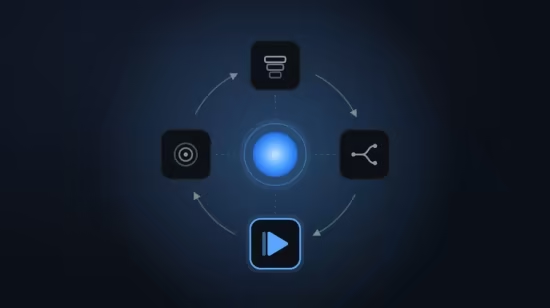
The model gets some context. It decides what to do. It takes an action. It observes what happened. Then it goes around again. Every agent you will ever build is that loop, wrapped in whatever your problem needs: tools, retrieval, multiple agents, guardrails, an API. Once you see the loop clearly, the rest of this field stops looking like magic and starts looking like engineering.
Raw Python first, frameworks second
We start with the raw API, plain HTTP calls and plain Python, because frameworks change every few months and the fundamentals do not. Once you understand how a model actually asks for a tool and how you hand back the result, LangGraph and MCP take an afternoon instead of a month. That ordering is deliberate, and it is why the code you write here will still make sense to you a year from now.
You will work with OpenAI’s API in depth, and you will also see the same ideas in Anthropic’s Claude and Google’s Gemini, so you are not locked into one vendor’s habits.
You do not need to know Python
Section 2 is a Python crash course built specifically for this work: variables, collections, functions, JSON, HTTP requests, classes, async, error handling, virtual environments, and Pydantic. Not “learn all of Python”, just the parts you actually need to build agents, taught in the order you will need them.
If you already write Python, skip that section. Nothing later depends on having sat through it.
And you will take it to production
Most agent courses stop when the notebook runs. This one does not. The last sections cover the things that decide whether your agent survives contact with real users. Evaluation: building a golden set, deterministic checks, and using an LLM as a judge, so you can tell whether a change made things better or worse instead of guessing. Guardrails: keeping the agent in scope, defending against prompt injection, and handling moderation and personal data. Deployment: wrapping your agent in a FastAPI service and packaging it with Docker. Cost: where tokens actually go, how caching and model routing cut the bill, and what the trade-offs look like across models.
What is in the course
Who this is for
People who want to build things with language models and are tired of tutorials that stop at the first API call. Complete beginners are welcome, the Python you need is in the course. Working developers are welcome too; you will move fast through the early sections and spend your time on the agent architecture.
Who this is not for: if you want a no-code tool, a click-together agent builder, or a course about AI strategy rather than AI code, this is the wrong course. Everything here is written in Python, by you.
What you need
A computer running Windows, macOS, or Linux, an internet connection, and API keys from OpenAI and Anthropic. Those keys are paid, but the course is built to keep usage tiny: the exercises are designed around cheap models and short prompts, and there is a whole lesson on keeping costs down.
Questions are welcome
I read and answer questions in the Q&A. If something in the course is wrong or unclear, tell me and I will fix it.
See you in the first lesson.
Who this course is for
Beginners who want to build AI agents and are willing to learn Python along the way
Developers who can call an LLM API but get stuck when the task needs tools, memory, or multiple steps
Engineers who want RAG, LangGraph, and MCP explained from first principles rather than as framework recipes
Anyone who wants four finished projects and a capstone for their portfolio, not just concepts
Not for people looking for no-code agent builders or a non-technical overview of AI
此处内容需要权限查看
会员免费查看