本教程由Marcello Pattarin主讲,专为3ds Max用户设计,深入解析PolyDamage V1.5插件,通过石柱和雕像案例,系统讲解从插件参数、Substance Painter材质烘焙到V-Ray/Arnold渲染的全流程,助你掌握高精度复杂模型处理与SSS材质应用,提升智能建模与多引擎渲染技能。
原始标题:3ds max Modeling with PolyDamage V 1.5
本课程由 Marcello Pattarin 打造,专为 3ds Max 用户设计,聚焦使用 PolyDamage V1.5/V1.51 插件实现高效、逼真的模型受损效果。课程全英文教学(AI语音),时长2小时26分钟,通过石柱和雕像案例,系统讲解从插件参数、Substance Painter 材质烘焙到 V-Ray/Arnold 渲染的全流程。这套进阶教程涵盖了高精度复杂模型的处理与次表面散射(SSS)材质的深入应用,是打通智能建模、纹理映射及多引擎渲染的行业实用指南。请访问相关平台查找该教程以获取更多细节。
Published 8/2026
Created by Marcello Pattarin
MP4 | Video: h264, 1920×1080 | Audio: AAC, 44.1 KHz, 2 Ch
Level: All Levels | Genre: eLearning | Language: English | Duration: 27 Lectures ( 2h 26m ) | Size: 3.8 GB
In this 3ds max course we will study how to create realistic imperfections in 3d models with PolyDamage V1.5
What you’ll learn
⚡ New PolyDamage Management 1.5.
⚡ Creating Low Poly High Poly Objects.
⚡ Material Creations in Substance Painter.
⚡ Material Creation and Rendering in Scanline, Arnold and Vray.
Requirements
❗ Basics to use 3ds max
Description
“This course contains the use of artificial intelligence”
Note: This course uses a speaker with AI-generated voice.
Topics: in this course we will study the New PolyDamage V1.5 and 1.51 plugin dedicated to damaging objects modeled in 3ds max, we will analyze the new Plugin settings and its transposition in different rendering engines.
Through PolyDamage V1.5 it is possible to create through a simple routine, a series of erosions and damage to objects, difficult to achieve with traditional modeling techniques, in this new version we will study how it is easier to apply the modifications and evaluate them in relation to the new fast and quality calculation algorithms.
In the first phase of the course we will study all the parameters of the plugin, in the second phase of the course we will analyze a column and its erosion phases related to the new available qualities, we will then import the object into substance Painter to generate the materials used subsequently in 3ds max in the Scanline and Vray Next render engines, we will set the materials accordingly for the two render engines.
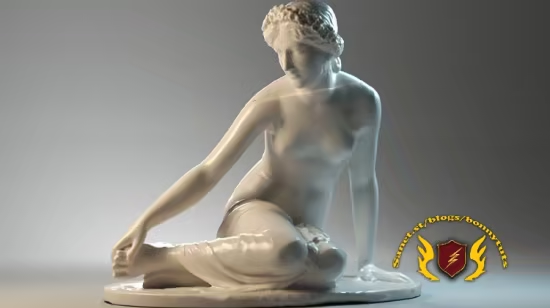
In the third phase of the course we will analyze a more complex object depicting a classical statue; it will be the starting point to show you how to best use PolyDamage V1.5 on more complex objects, in this phase we will use native SSS materials from both Arnold and Vray Next to best represent the material in the two render engines.
It will be useful to understand how to manually convert an Arnold scene into Vray by managing Lights, exposure control, cameras and rendering; the final result will be available both in the renders already attached to the course and in the scenes available to practice in 3ds max.
Attached to the lessons are available the compatible exercise files 3ds max 2017, 3ds max 2020 and higher.
Note: the exercise files are attached to the lesson: ” 002_Student Promotion Plugin. ”
Who this course is for
⭐ Architects, Surveyors, Designers, Students, Teachers, 3D Artists.
此处内容需要权限查看
会员免费查看