
Ashampoo Snap Pro 26:实时编辑截屏录屏利器
Ashampoo Snap Pro 26 是一款支持实时编辑的Windows截屏录屏软件,具备滚动截图、OCR识别、高清录制等功能,专为高效工作与教程制作设计,操作直观便捷。
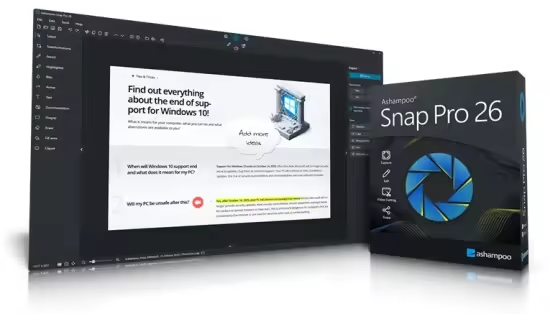
Ashampoo Snap Pro 26 是一款高效的Windows屏幕截图和视频录制软件,主打“实时编辑” (Live Edit) 功能。它支持高清晰度录屏、滚动截屏、自动编号、OCR文字识别及多种标注工具,满足工作与内容创作需求。其最新版本加强了操作直观性,让截屏和录屏更便捷。
- 实时编辑 (Live Edit): 允许在录制或截图过程中即时添加标记、文字和形状,大幅提升演示和教程制作效率。
- 多功能截屏: 支持捕捉全屏、矩形区域、矩形滚动页面以及固定窗口,包括复杂的滚动长图。
- 高质量录屏: 支持高分辨率屏幕录制,提供实时的视频编辑功能,轻松捕捉屏幕动态。
- 智能标注与处理: 内置自动编号、阴影、聚光灯等工具,并具备OCR功能,可轻松从图像中提取文本。
- 兼容性与易用性: 专为Windows 10/11优化,界面简洁友好。
File Size: 235 MB
With Ashampoo Snap Pro 26, creating screenshots and videos is easier than ever! Everything that appears on your screen can be captured in seconds. In the image editor, you can edit, annotate, save, and share your captures instantly. New: With Live Edit, you can even mark content directly on your Desktop before the screenshot is taken. Snap Pro 26 also enhances your screenshots with graphical elements such as automatic numbering, comments, stickers, and more. Whether you’re working from home, explaining something quickly, or creating detailed tutorials, Snap Pro 26 lets you get the job done faster.
Screenshots and video recordings with scrolling function, sound option and quick access via hotkeys
Direct editing with text, highlighting, numbering, blur tools and a handy screenshot library
Ideal for instructions, tutorials and documentation with flexible export as PNG, JPG, PDF and cloud upload
此处内容需要权限查看
会员免费查看


