
Blender吸附对齐全精通:告别乱飞
攻克3D建模与动画中最易抓狂的吸附难题,让物体精准定位不再乱飞。19课时系统学习网格、顶点、边面及3D光标吸附,含模块化资产包,助你掌握专业可控工作流。
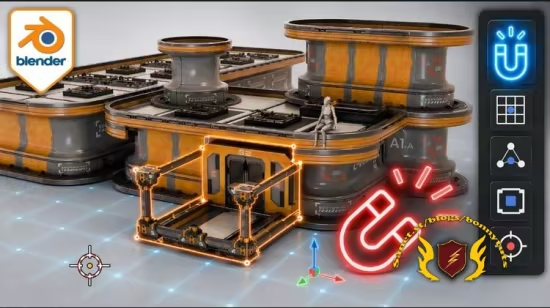
《Blender 核心必备:吸附与对齐基础全精通》这是一套专注于攻克 3D 建模、游戏场景搭建和动画制作中“最易让人抓狂”的吸附功能的实用实战型网络课堂。
课程共包含 19 个聚焦课时,并随盘附赠一套免费的模块化资产练习包(包含平台、墙壁、屋顶、柱子、楼梯等)。课程核心旨在彻底解决初学者“一开吸附物体就乱飞、重叠或莫名旋转”的痛点,将不确定性的盲目拖拽转化为百分之百精准、可控的专业工作流。
Published 6/2026
Created by 3D Tudor
MP4 | Video: h264, 1920×1080 | Audio: AAC, 44.1 KHz, 2 Ch
Level: Beginner | Genre: eLearning | Language: English | Duration: 19 Lectures ( 2h 47m ) | Size: 5.8 GB
Master snapping and alignment in Blender — grid, increment, vertex, edge and face, plus the 3D cursor and UV snapping.
What you’ll learn
⚡ Use Increment and Grid snapping to place, rotate and scale modular assets with exact, predictable control
⚡ Master the three-part snap system — Snap Base, Snap Target and Effect — to understand exactly why objects snap where they do
⚡ Snap to vertices, edges, faces, volumes and centers, and align rotation to surface normals for clean placement
⚡ Control what snapping detects using Pivot Points, Exclude Non-Selectable Targets and Edit Mode include/exclude options
⚡ Place objects, origins and pivots precisely with the 3D Cursor and the Shift+S snapping menu
⚡ Snap characters onto surfaces in Pose Mode and organise UV islands across UDIM tiles
⚡ Diagnose and fix common snapping errors: offset origins, jitter, wrong rotation and self-snapping
Description
Does snapping in Blender feel completely random?
You turn snapping on, drag an object toward a corner, and it leaps somewhere you never intended — overlapping the next piece, floating above the grid, or rotating to a strange angle. For most beginners, snapping is the tool that’ssupposed to make placement precise, yet somehow makes everything harder. The truth is, snapping isn’t random at all — it’s a system of clear decisions, and once you understand them, it becomes the most powerful alignment tool in Blender.
This course teaches you that system from the ground up.
Blender Essentials: Snapping and Alignment Basics is a hands-on, beginner-friendly course that turns snapping from a source of frustration into a precise, predictable workflow. Across 19 focused lessons you’ll go from “why did it do that?” to placing, rotating and scaling assets exactly where you want them — every time.
You’ll start with the basics of Increment and Grid snapping, then unlock the three-part snap system that controlseverything :Snap Base (what moves),Snap Target (what it snaps to) andEffect (whether Move, Rotate or Scale is affected). From there you’ll master snapping to vertices, edges, faces, volumes and centers, align rotation to surface normals, and control exactly what snaps using Pivot Points, Exclude Non-Selectable Targets and Edit Mode options. You’ll learn the3D Cursor and Shift+S snap menu inside out, snap characters cleanly onto surfaces inPose Mode, organise UVs acrossUDIM tiles, and finish by diagnosing and fixing the snapping errors that trip up every beginner.
To practice on, this course includes a FREE resource pack — a modular placement kit (platforms, walls, rooftops, pillars, stairs and more, set up as a small scene) so you’re learning on real modular assets, not just default cubes.
By the end you’ll be able to
✨ Snap and align modular assets with grid, increment, vertex, edge and face precision
✨ Control exactly what snaps using Snap Base, Snap Target, Pivot Points and the 3D Cursor
✨ Pose characters, snap UVs, and fix the snapping problems that break beginners’ scenes
This is a core foundation every modeller, environment artist and game artist needs. Get snapping right, and building modular scenes becomes fast, clean and genuinely enjoyable.
No experience beyond basic Blender navigation and transforms needed — Blender is free, so install it and press play.
Ready to make snapping work for you instead of against you? Enroll now.
此处内容需要权限查看
会员免费查看


