Photoshop AI创意指南:生成式工具实战
掌握Adobe Firefly驱动的生成式填充、扩展及文生图工具,提升创意工作流。本中级课程教你高效撰写提示词,控制光影与风格,应用于广告、品牌及UI设计。适合希望融合AI与专业设计的创作者。
Published 8/2025
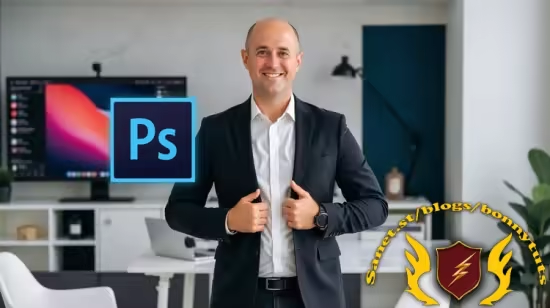
Created by Anton Voroniuk,Anton Voroniuk Support
MP4 | Video: h264, 1280×720 | Audio: AAC, 44.1 KHz, 2 Ch
Level: Intermediate | Genre: eLearning | Language: English | Duration: 30 Lectures ( 1h 21m ) | Size: 1 GB
Learn AI-powered Photoshop workflows for creatives
What you’ll learn
Understand how Adobe Firefly works inside Photoshop and why it’s different from other AI models.
Confidently use tools like Generative Fill, Generative Expand, Text to Image, and Reference Image Prompting to create professional visuals.
Master prompt writing to communicate your creative vision clearly to Photoshop’s AI, controlling objects, lighting, mood, and style.
Build efficient workflows for moodboards, compositing, retouching, and image extension, saving time without sacrificing quality.
Experiment, iterate, and refine designs while maintaining full creative control over AI-generated results.
Apply AI in practical scenarios across advertising, branding, UI/UX, digital art, and social content.
Requirements
A computer with Adobe Photoshop installed.
Basic familiarity with Photoshop: knowing layers, masks, selections, and common tools will help you follow along faster.
Curiosity and creativity: willingness to experiment with AI tools and explore new workflows
No prior experience with AI or generative tools is required — this course will teach you everything from the ground up.
Description
Unlock the full potential of Adobe Photoshop’s AI tools and transform the way you create. In this course, you’ll dive deep into Adobe’s generative AI engine, and learn how to harness its power to generate, enhance, and manipulate images like a professional designer.You’ll start with the fundamentals, understanding how AI works inside Photoshop, and discover why it’s different from other AI models. You’ll explore tools like Generative Fill, Generative Expand, Text to Image, and Reference Image Prompting, learning not just what they do, but how to guide them with precision.Next, you’ll master the art of prompt writing, turning your creative ideas into clear, structured instructions that Photoshop’s AI can follow. You’ll learn how to describe objects, lighting, mood, and style so that your results are predictable, consistent, and visually compelling.The course also teaches practical workflows, from moodboards and compositing to retouching and extending images. You’ll see how AI can accelerate your process while keeping full creative control. Each lesson blends theory with hands-on examples, so you can apply your new skills immediately.By the end of this course, you’ll be able to create professional-grade visuals faster than ever, direct Photoshop’s AI with confidence, and integrate AI seamlessly into your design workflow—whether you’re working on advertising, digital art, branding, or photography.Enroll now and elevate your creative work to the next level!
此处内容需要权限查看
会员免费查看