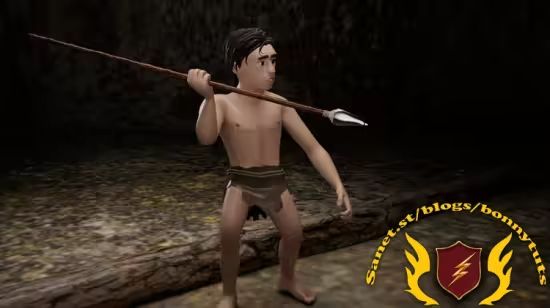
从零开始在Maya中创建并动画化完整原始人场景,涵盖角色建模、骨骼绑定、动作动画与Arnold渲染,适合初学者与中级用户。
原始标题:Creating and animating a Caveman Scene in Maya
Published 8/2025
Created by Omar Kareem Ahmed
MP4 | Video: h264, 1280×720 | Audio: AAC, 44.1 KHz, 2 Ch
Level: All | Genre: eLearning | Language: English | Duration: 113 Lectures ( 11h 57m ) | Size: 9.31 GB
Master Maya by creating, rigging, animating, and rendering a complete caveman character scene from scratch.
What you’ll learn
Modeling a fully realized caveman character using Autodesk Maya.
Rig the caveman character for animation with proper joint placement and skinning
Animate the caveman performing actions and interacting with the environment
Render the final animated scene using Arnold renderer, with lighting and camera setup
Requirements
Basic familiarity with navigating Autodesk Maya and Substance Painter
Description
Bring your 3D ideas to life by creating and animating a complete caveman scene in Autodesk Maya, from the very first polygon to the final render.This step-by-step course is designed for both beginners and intermediate artists, guiding you through every stage of the production process without skipping a single detail.You’ll start with the fundamentals — importing reference images, setting up your scene, and blocking basic shapes. Then, you’ll move into professional modeling techniques to create a fully detailed caveman character. Once the modeling is complete, you’ll learn UV mapping and texturing, bringing your character to life with color and detail using Substance Painter.The course then takes you into the world of rigging — from creating custom controls and facial blendshapes to setting up smooth, natural joint movement. You’ll animate your caveman, adding personality and life, before moving on to lighting, rendering, and polishing your final scene.By the end of the course, you’ll have the skills to model, texture, rig, animate, and render a complete 3D scene ready for your portfolio or professional use. You’ll also gain a clear, practical workflow you can apply to your own projects.What you’ll learn:Model a complete 3D character from scratch in Autodesk MayaCreate UV maps and textures in Substance Painter for realistic resultsRig your character with custom controls and facial blendshapesAnimate, light, and render a polished 3D sceneFixing issues like wrong joint connections, and faulty constraints.Who this course is for:Beginner and intermediate 3D artists who want a complete, step-by-step projectAnyone looking to strengthen their Autodesk Maya skills through a real-world exampleArtists aiming to create portfolio-ready 3D characters and animationsRequirements:Basic familiarity with navigating Autodesk Maya and Substance Painter
此处内容需要权限查看
会员免费查看