
学习用Unity和C#构建自己的Nonogram数织游戏,涵盖网格逻辑、谜题生成、UI设计与难度设置,适合初学者和独立开发者。
原始标题:Build Your Own Nonogram Puzzle Game in Unity (C#)
Published 2/2025
Created by Octo Man
MP4 | Video: h264, 1280×720 | Audio: AAC, 44.1 KHz, 2 Ch
Level: Beginner | Genre: eLearning | Language: English | Duration: 45 Lectures ( 8h 47m ) | Size: 4.67 GB
Learn to create a Nonogram puzzle game using Unity & C# from grid logic to UI design. Perfect for indie devs & hobbyists
What you’ll learn
Learn how Nonogram puzzles work and generate them procedurally.
Build a fully functional Nonogram game in Unity with C#.
Implement puzzle mechanics, validation, and user interaction.
Optimize gameplay with difficulty settings, UI, and polish.
Requirements
Basic understanding of C# and Unity.
Unity installed (latest stable version recommended).
Familiarity with game development concepts.
Interest in puzzle games and logic-based mechanics.
A PC or Mac capable of running Unity.
No prior experience with Nonograms needed!
Description
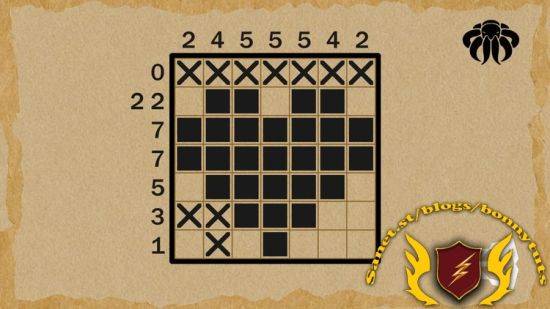
Want to build your own Nonogram puzzle game in Unity? In this course, you will learn how to create a fully functional Nonogram (Picross, Griddler) game using C# and Unity. Nonograms are logic-based puzzles where players fill in a grid based on numerical clues, revealing a hidden pixel-art image. By the end of this course, you will have the skills to design, develop, and expand your own Nonogram puzzle game from scratch!This course is perfect for indie developers, hobbyists, and aspiring game programmers who want to explore game logic, UI development, and level generation. Whether you are new to Unity or already have some experience, this course will guide you through the entire development process, from setting up the grid system to creating an engaging user experience.What You’ll Learn:Understanding Nonogram Logic – Learn how Nonograms work and how to generate valid puzzles.Grid System & UI Design – Implement an interactive game board using Unity’s UI tools.Puzzle Validation & Player Interaction – Ensure puzzles are solvable and provide real-time feedback.Level Loading System – Use JSON files to dynamically load and manage puzzle levels.Difficulty Settings & Game Progression – Implement multiple difficulty levels for replayability.Optimized Performance – Improve efficiency for a smooth and responsive game experience.Game Polishing & Expansion Ideas – Add new features like hints, timers, and unlockable content.Throughout the course, you will write your own scripts and build the game step by step, gaining a deeper understanding of game development principles along the way.Important: This course material is for educational purposes only. It does not include pre-made scripts but provides the knowledge and structure to write them yourself.By the end of this course, you will have a complete Nonogram game framework, ready to customize, expand, or even publish!
此处内容需要权限查看
会员免费查看


