
PopChar 10.1是文字工作者与设计师的实用工具,支持快速查找和插入任意字体中的特殊字符、重音字母及符号,无需记忆快捷键,兼容Unicode与ASCII,提升工作效率。
原始标题:PopChar 10.1 Build 3360
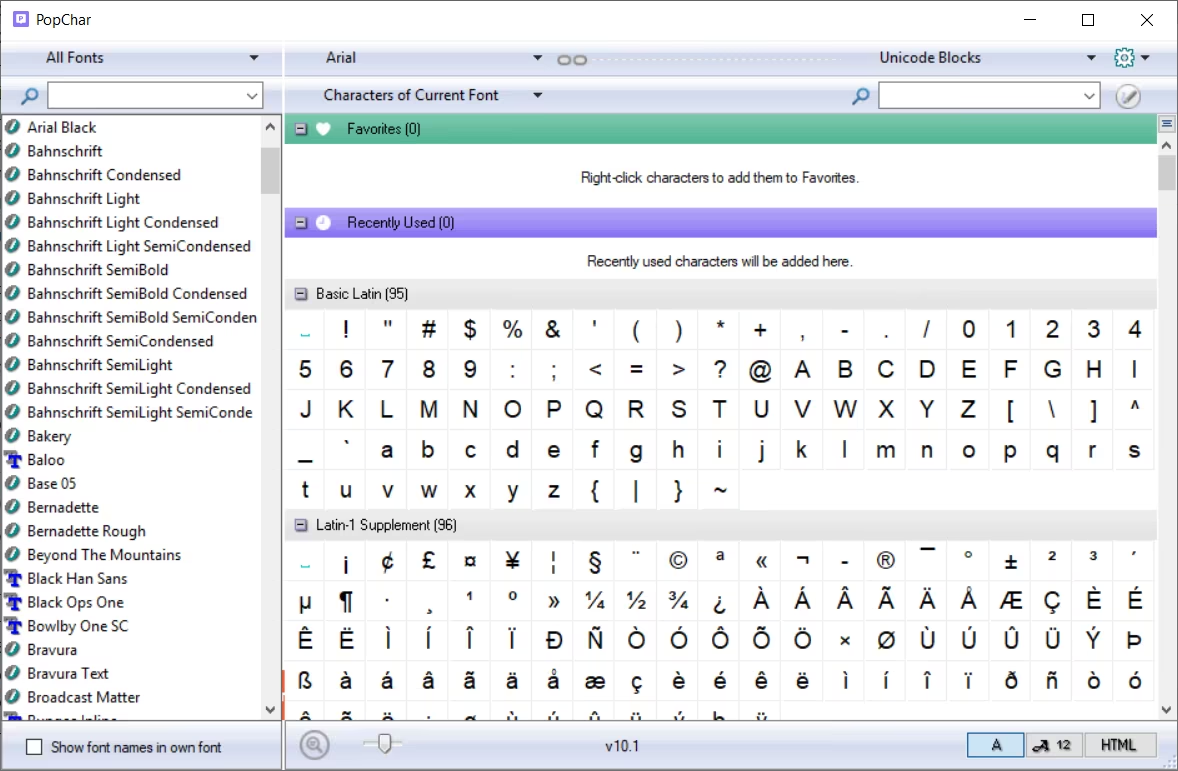
PopChar 是一款备受文字工作者和设计师喜爱的特殊字符与字体管理工具。它可以帮你绕过繁琐的键盘快捷键,轻松查找并插入任意字体中的特殊符号、重音字母或外文文字。
File Size: 6.7 MB
Most of your fonts contain thousands of characters, many more than you can access from the keyboard. If you want to get the most out of your fonts, then PopChar is the right tool for you. PopChar makes “typing” of unusual characters easy without having to remember keyboard combinations. Whenever you need a special character, PopChar is there to help. Click the “P” in the menu bar to display a table of characters. Select the desired character and it instantly appears in your document. PopChar works with modern applications that support Unicode as well as with older applications that support only the smaller ASCII character set. In Unicode mode, PopChar makes it easy to navigate and search within fonts that contain thousands of special characters. Web designers especially will enjoy the ability to insert HTML symbols.
Features
» Inserts special characters right into your document
» Simple to use: Just click to insert characters
» Full Unicode support
» Search for characters by name, by Unicode number
» Work across font boundaries
» Recent characters view for instant access to your frequently used characters
» Flexible user interface
» Displays the keystrokes needed to create selected characters
» Automatically detects the current font in many popular applications
» Optimized Font menu that contains only the most recently used fonts
» Inserts HTML symbols
» Hot key activation
» Automatically starts at login
System Requirements: Windows 8/8.1, 10, 11
此处内容需要权限查看
会员免费查看


