学习在Unreal Engine 5中创建电影级车辆动画,无需骨骼绑定或蓝图。通过样条线路径、漂移烟雾、车灯控制等技巧,快速掌握Sequencer编排,实现好莱坞级别的汽车渲染效果。
原始标题:Unreal Engine 5 | No-Rig Cinematic Car Animation
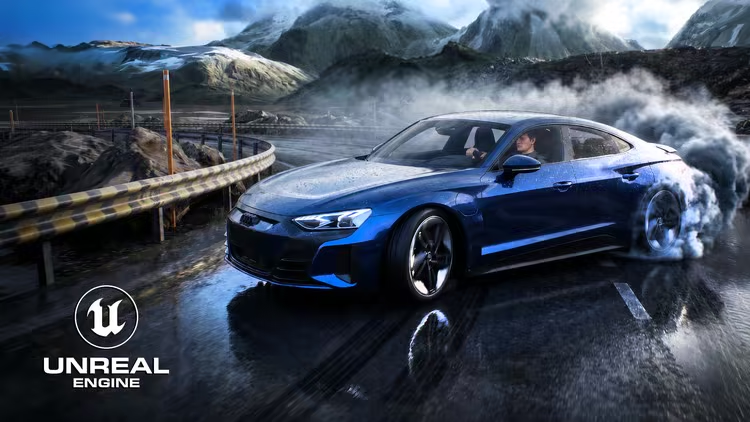
本教程专注于 Unreal Engine 5 的电影级车辆动画制作,核心在于无需骨骼绑定或蓝图编程,仅通过属性调整即可实现车辆沿样条线行驶、自动贴地及悬挂动态等高阶物理模拟。该实战课程涵盖漂移烟雾、车灯控制及 VFX 特效,旨在帮助艺术家快速掌握 Sequencer 编排,完成好莱坞级别的汽车动画渲染。
Published 7/2026
MP4 | Video: h264, 3840×2160 | Audio: AAC, 44.1 KHz, 2 Ch
Language: English | Duration: 3h 15m | Size: 8.5 GB
Realistic car animations with spline paths, drift, wheel dynamics, lighting, effects, Sequencer and cinematic rendering.
What you’ll learn
Create cinematic vehicle animations in Unreal Engine 5 without using a skeletal rig.
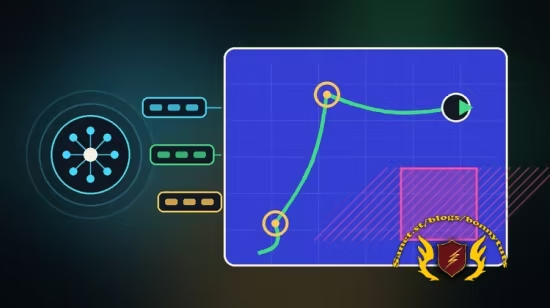
Animate vehicles along custom spline paths with adjustable speed and realistic movement.
Configure wheels, steering, suspension, vibration, and ground alignment for different vehicles.
Create cinematic driving effects including drift, tire smoke, exhaust flames, and brake glow.
Control headlights, brake lights, reverse lights, and turn signals directly from the Details panel.
Animate vehicle settings with Sequencer and produce high-quality cinematic renders.
Requirements
Basic familiarity with the Unreal Engine 5 interface is helpful but not required.
A computer capable of running Unreal Engine 5 and completing cinematic renders.
No vehicle rigging, skeletal animation, Blueprint programming, or coding experience is required.
Unreal Engine 5.8 or a newer compatible version should be installed.
Description
This course contains the use of artificial intelligence.
AI-generated voice narration is used throughout this course. All technical instruction, demonstrations, project workflows, and educational content were created, reviewed, and verified by the instructor.
Create professional cinematic car animations in Unreal Engine 5 without skeletal rigging, complex vehicle setups, or Blueprint programming.
In this course, you will learn how to use the ready-to-use BP_VehicleAnimator system to animate different vehicle models directly through the Details panel. You will import and prepare a vehicle, assign its wheels, create custom spline paths, control speed, steering, suspension, vibration, and ground alignment, and produce realistic vehicle movement on different road surfaces.
You will also explore cinematic driving features such as drift control, tire smoke, exhaust flames, brake glow, headlights, brake lights, reverse lights, and turn signals. These settings can be adjusted without opening complex Blueprint graphs, making the workflow accessible to both beginners and experienced Unreal Engine artists.
The course explains how to animate vehicle parameters with Sequencer, create cinematic camera shots, record driving animations, and prepare the final scene for high-quality rendering. You will also learn how to diagnose common setup problems and adapt the system to different vehicle models.
The BP_VehicleAnimator system and the course project files are included with the training at no additional cost. You can migrate the system into your own Unreal Engine projects and customize it for automotive visualization, commercials, short films, social media content, virtual production, and other cinematic projects.
No skeletal rigging, vehicle physics setup, coding, or advanced Blueprint knowledge is required. By the end of the course, you will have a practical and reusable workflow for creating convincing cinematic vehicle animations in Unreal Engine 5.
Who this course is for
Unreal Engine artists who want to create cinematic vehicle animations without rigging.
3D artists, visualization specialists, filmmakers, and automotive content creators.
Beginners who want a ready-to-use and customizable vehicle animation workflow.
Experienced Unreal Engine users who want to speed up vehicle animation and cinematic production.
此处内容需要权限查看
会员免费查看