
gBurner Pro 5.9多语言版是一款强大的刻录软件,支持CD/DVD/BD多种格式,可创建数据、音频、视频光盘,制作启动盘,处理ISO/BIN镜像,操作简便,是日常刻录与镜像处理的优选工具。
原始标题:gBurner Pro 5.9 Multilingual
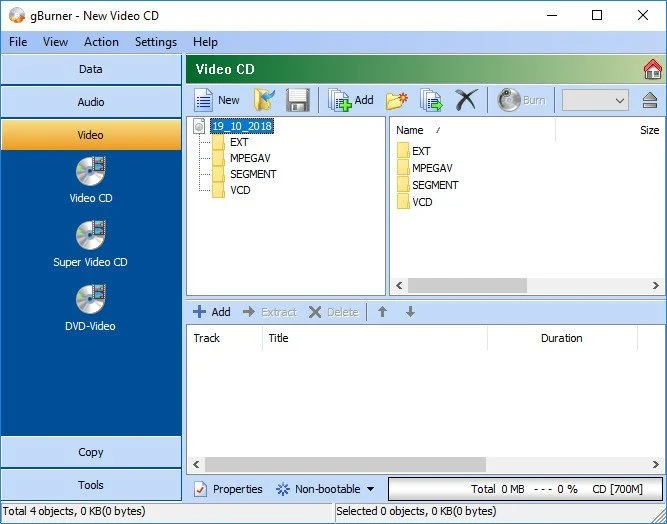
gBurner是一强大易用CD/DVD/BD刻录软件,允许你创建数据、音频和视频CD、DVD和蓝光Blu-ray Disc,制作启动光盘可引导光盘自动运行光盘,创建分段刻录盘等等。
gBurner也是一款光盘映像处理软件,允许你打开、创建、编辑、提取、转换和刻录光盘映像文件。
File Size: 5.1 MB
gBurner is a powerful and easy-to-use CD/DVD burning tool, which allows you to create and burn data/audio CDs and DVDs, make bootable data CDs and DVDs, create multisession discs. Moreover, this software can be used as a disc image file processing tool, therefore it will allow you to create, extract, open, edit, convert or burn ISO/BIN image files.
Key features of “gBurner”:
· Create and burn data / audio CD and DVD. gBurner supports the following disc types: CD-R, CD-RW, DVD-R, DVD-RW, DVD-R DL, DVD+R, DVD+RW, DVD+R DL, DVD-RAM
· Create multisession CD/DVD
· Make bootable CD/DVD
· Burn data, audio and video image file
· Copy CD/DVD
· Erase rewritable disc
· Optimize file layout to save disc space
· Open, create, extract, edit and convert ISO/BIN Image file. gBurner can convert almost all image file formats to ISO/BIN image file format
· Easy and friendly interface. gBurner supports context menu, drag and drop, clipboard copy and paste
此处内容需要权限查看
会员免费查看


