
零基础学Python GUI开发,通过构建10个专业桌面应用掌握Tkinter核心组件、布局与事件编程,积累求职作品集。
原始标题:Learn Tkinter Python GUI App Development: Build 10 Pro Apps
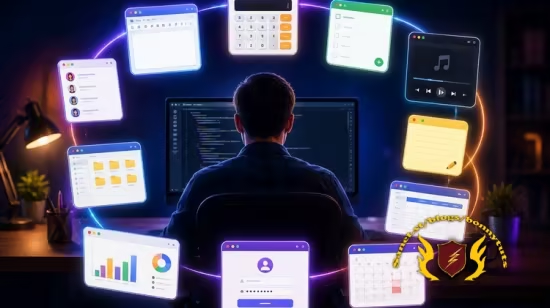
该课程是一门面向零基础学员的实战型 Python Tkinter 桌面端 GUI 开发教程,核心通过带领先手构建 10 款完整的专业级桌面应用程序来代替纯理论教学。课程全面涵盖 Tkinter 核心组件应用、Pack/Grid/Place 三大布局管理器、事件驱动编程、对话框处理及代码规范,旨在帮助学员摆脱控制台程序的局限,掌握现代桌面软件的开发与调试技巧,最终积累起一份能够提升求职或独立开发竞争力的 Python GUI 作品集。
Published 9/2026
Created by Data Science Academy
MP4 | Video: h264, 1280×720 | Audio: AAC, 44.1 KHz, 2 Ch
Level: All Levels | Genre: eLearning | Language: English | Duration: 134 Lectures ( 25h 46m ) | Size: 10.2 GB
Master Python Tkinter: Build 10 Professional GUI Apps While Learning Modern Desktop Development
What you’ll learn
⚡ Master Python GUI development using Tkinter, the standard GUI library included with Python.
⚡ Build 10 professional desktop applications from scratch while learning practical GUI development techniques.
⚡ Create modern graphical user interfaces using windows, frames, labels, buttons, text boxes, menus, checkboxes, radio buttons, listboxes, and other Tkinter widge
⚡ Design responsive and user-friendly desktop applications using layout managers such as Pack, Grid, and Place.
⚡ Handle user interactions through events, callbacks, keyboard input, mouse actions, and button click events.
⚡ Work with dialog boxes, message boxes, file dialogs, images, fonts, and other advanced GUI components.
⚡ Validate user input, manage application state, and build interactive applications with clean and maintainable Python code.
⚡ Learn industry best practices for designing, developing, debugging, and deploying professional desktop applications using Python and Tkinter.
⚡ Gain the confidence to create your own custom desktop software, productivity tools, business applications, and GUI-based Python projects from scratch.
Requirements
❗ No Programming Experience is Required
Description
Have you ever wanted to build your own desktop applications with Python? Whether it’s a calculator, text editor, file manager, notepad, or any other professional desktop tool,Tkinter provides everything you need to create powerful graphical user interfaces without relying on complex third-party frameworks.
Learn Tkinter Python GUI App Development: Build 10 Pro Apps is a comprehensive, project-based course designed to take you from the fundamentals of Tkinter to building professional desktop applications using Python. Whether you’re a complete beginner or already have some Python experience, this course will equip you with the practical skills needed to create modern, interactive, and user-friendly desktop software.
Unlike courses that focus heavily on theory, this course emphasizeslearning by building real applications. Throughout the course, you’ll develop10 professional desktop applications, allowing you to apply every concept in real-world scenarios. Each project is carefully designed to introduce new techniques while reinforcing the concepts you’ve already learned, ensuring steady progress from beginner to advanced GUI development.
You’ll begin by learning the fundamentals of Tkinter, including creating windows, labels, buttons, entry fields, frames, menus, text widgets, listboxes, checkboxes, radio buttons, and other essential GUI components. As your knowledge grows, you’ll master layout management usingPack,Grid, andPlace, enabling you to design clean, responsive, and professional-looking interfaces.
The course also covers event-driven programming, teaching you how to respond to user actions such as button clicks, keyboard input, mouse events, and other interactive behaviors. You’ll learn how to display message boxes, work with dialog windows, manage files, validate user input, organize applications and write clean, maintainable Python code that can be expanded into larger projects.
Every section is supported with hands-on coding exercises and practical assignments that reinforce your understanding and help you develop real programming confidence. Rather than simply copying code, you’ll be encouraged to think like a software developer by solving problems and implementing features on your own.
By the end of this course, you’ll have a portfolio of10 professional Python GUI applications that showcase your skills and demonstrate your ability to build real desktop software. More importantly, you’ll understand how to design, develop, and maintain your own graphical applications from scratch using Tkinter and Python.
Whether your goal is to become a Python developer, build productivity tools, create business applications, develop desktop utilities, enhance your programming portfolio, or simply learn one of Python’s most valuable GUI frameworks, this course provides the practical knowledge and hands-on experience you need to succeed.
Enroll today and start building professional desktop applications with Python and Tkinter—one real project at a time.
Who this course is for
⭐ Anyone who wants to learn how to build professional desktop GUI applications using Python.
⭐ Python beginners who want to move beyond console programs and create interactive graphical applications.
⭐ Students who prefer learning by building real-world projects rather than studying theory alone.
⭐ Aspiring software developers who want to add desktop application development to their programming skill set.
⭐ Python developers interested in mastering the Tkinter library for GUI development.
⭐ Developers who want to create business applications, productivity tools, utilities, and custom desktop software.
⭐ Programmers from other languages who want to learn Python GUI development using one of its most popular built-in libraries.
⭐ Anyone who wants to build an impressive portfolio of professional Python desktop applications to showcase to employers or clients.
此处内容需要权限查看
会员免费查看


