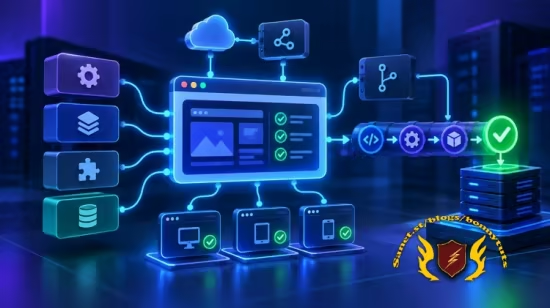
精通开源终端 AI 编程智能体 OpenCode:打破模型绑定,实战 MCP 协议、自主子智能体与权限控制,构建定制化自动化开发工作流。
原始标题:Mastering OpenCode: AI Agents, Skills, MCP & Automation
一门前沿实战课程,聚焦于开源、终端原生的 AI 编程智能体(AI Coding Agent)—— OpenCode。课程长达数小时(包含 AI 工具应用教学),旨在教你如何摆脱传统 AI 助手(如 Copilot 或 Cursor)的模型绑定,利用 MCP(模型上下文协议) 构建具备高度自主权的定制化 AI 开发工作流。
核心技术栈与实战亮点
打破模型绑定(No Model Lock-in):OpenCode 最大的特点是将“编程工具”与“底座模型”完全解耦。你可以一次性安装,然后根据需求自由切换底座引擎(如 Claude、GPT、Gemini、开源模型甚至本地部署的模型),支持**自带密钥(BYOK)**或使用其官方的 OpenCode Zen 免费模型市场。
多端部署与指令定制:教授如何在 CLI/TUI(命令行/终端界面)、桌面端 App 以及 VS Code 插件中部署 OpenCode。深度学习其斜杠命令(Slash Commands),并编写 AGENTS.md 文件来制定项目专属规则、安装扩展技能(Skills)。
自主智能体与权限控制(Agents & Subagents):课程包含一个核心的安全实战项目,你将亲手设计并运行一对“安全扫描器(Security Scanner)”与“安全修复器(Security Fixer)”子智能体,并在严密的权限模型(Permission Model)下运行,确保 AI 既能自动修 Bug 又不会越权破坏系统。
MCP(模型上下文协议)深潜:详细拆解由 Anthropic 推动的 MCP 开放标准架构。不仅讲透 Host、Client 和 Server 的底层通信原理,还会带你进行两 tangible 级实战:将 OpenCode 连接到本地文件系统、远程 GitHub,以及与自动化工作流工具 n8n 进行双向集成。
Published 9/2026
Created by Yogesh Raheja
MP4 | Video: h264, 1920×1080 | Audio: AAC, 44.1 KHz, 2 Ch
Level: All Levels | Genre: eLearning | Language: English | Duration: 37 Lectures ( 3h 42m ) | Size: 1.8 GB
Build real-world apps with OpenCode — connect any AI model, create custom agents, and automate workflows with MCP
What you’ll learn
⚡ Understand what OpenCode is and how it differs from Claude Code, Cursor, GitHub Copilot, and Amazon Q Developer
⚡ Choose the right pricing path – free open-source core, bring-your-own-key, or OpenCode Go vs. Zen – for your own use case
⚡ Install and run OpenCode across its CLI/TUI, Desktop app, and VS Code extension
⚡ Build a real monitoring application from scratch using OpenCode, and extend it across Linux and Windows
⚡ Master OpenCode’s slash commands and build your own custom commands for repeatable workflows
⚡ Write project rules with AGENTS MD file, install Skills, and configure Tools to shape how OpenCode behaves
⚡ Design and deploy your own Agents and Subagents – including a working Security Scanner and Security Fixer
⚡ Configure OpenCode’s permission model to control exactly what your agents are allowed to do
⚡ Understand MCP (Model Context Protocol) – its architecture, core primitives, and how messages travel under the hood
⚡ Connect OpenCode to local, remote, and third-party MCP servers (filesystem, GitHub, n8n) and build two-way integrations with n8n workflows
Requirements
❗ No prior experience with AI coding agents, OpenCode, or MCP is required – we start from the fundamentals
❗ Basic familiarity with using a command-line/terminal
❗ A code editor installed, such as VS Code
❗ A computer (Windows, macOS, or Linux) with internet access
Description
“This course contains the use of artificial intelligence.”
Every AI coding assistant ties you to one thing you didn’t actually ask for: a single model, from a single company, forever. Use Claude Code, and you’re on Claude. Use Copilot, and you’re on OpenAI’s models. The moment a better model launches – faster, cheaper, more accurate for exactly what you’re building – you can’t just try it. You have to abandon your entire tool and rebuild your workflow from zero, just to swap out the engine underneath it.
OpenCode fixes that. It’s an open-source, terminal-native AI coding agent that separates the tool from the model entirely – install it once, and plug in whichever model you want underneath: Claude, GPT, Gemini, open-source models, even models running locally. No lock-in, no rebuilding your workflow every time a new model drops. And because it’s open-source with its own model marketplace (OpenCode Zen), you can start building with free models today, with zero API keys and zero subscription.
This course takes you from zero to production with OpenCode – not just a features tour, but real, hands-on demos for every concept. You’ll start by understanding exactly what OpenCode is, how it compares to Claude Code, Cursor, Copilot, and Amazon Q, and how its pricing model actually works (free core, bring-your-own-key, or OpenCode’s own Go/Zen plans). Then you’ll install it across every interface it offers – CLI/TUI, Desktop app, and VS Code extension — and build a real, working monitoring application from scratch, extending it step by step as you learn.
From there, you’ll go deep into what makes OpenCode genuinely extensible. You’ll learn OpenCode’s slash commands and build your own custom commands, define project rules with AGENTS md file, install and use Skills, and understand how Tools and permissions work under the hood. You’ll then combine all of it – rules, skills, tools, and agents — to rebuild your application the right way. A full section is dedicated to Agents, Subagents, and Permissions, where you’ll design your own Security Scanner and Security Fixer agents and put them to work finding and fixing real issues in your code.
The course closes with a deep, hands-on section on MCP (Model Context Protocol) – the open standard that lets OpenCode connect to external tools and services. You’ll cover MCP’s architecture, primitives, and communication model properly, then connect OpenCode to a local filesystem MCP server, a remote GitHub MCP server, and finally to n8n – both exposing n8n workflows as tools OpenCode can call, and having OpenCode build and troubleshoot n8n workflows directly.
What makes this course different
Most OpenCode content online is either a quick “look what it can do” demo with no real explanation of why it’s built this way, or a dry walkthrough of documentation. This course does both properly: accurate, complete coverage of how OpenCode actually works – rules, skills, tools, agents, permissions, MCP — paired with genuinely hands-on building, using one real application you extend across the entire course, so every concept lands in a project you built yourself, not a disconnected demo.
By the end of this course, you’ll be able to
✨ Explain what OpenCode is, how it differs from Claude Code, Cursor, Copilot, and Amazon Q, and why separating the tool from the model matters
✨ Understand OpenCode’s pricing model – free open-source core, BYOK, and OpenCode Go vs. Zen — and choose the right option for your use case
✨ Install and run OpenCode across its CLI/TUI, Desktop app, and IDE extension, and use its core slash commands confidently
✨ Build your own custom OpenCode commands, project rules, and installable Skills
✨ Design and run your own Agents and Subagents, including a working Security Scanner and Security Fixer, with a solid grasp of OpenCode’s permission model
✨ Explain MCP’s architecture (Host, Client, Server), its core primitives (Tools, Resources, Prompts), and how MCP messages actually travel
✨ Connect OpenCode to local, remote, and third-party MCP servers — including filesystem, GitHub, and n8n — in both directions
✨ Build a real, working application from scratch and extend it repeatedly as you layer in rules, skills, tools, agents, and MCP integrations
Who this course is for
⭐ Developers and AI engineers curious about AI Coding Agents
⭐ DevOps and SRE professionals
⭐ Developers who want to enter the AI coding agent space
⭐ OpenCode users who want their AI assistant to actually do things
此处内容需要权限查看
会员免费查看