
3ds Max+Corona写实室内全案
掌握从建模到光影的ArchViz全流程,学习用Corona Renderer打造电影级写实室内效果,包含高级木地板材质与自然光照技巧。
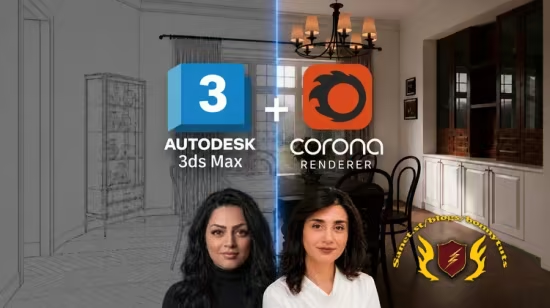
本课程专为有一定基础的3D可视化爱好者打造,带你全面掌握使用 3ds Max 和 Corona Renderer 创作写实室内效果图的完整全案流程。课程从基础架构建模切入,指导你精细构建墙体、吊顶、石膏线及踢脚线等空间硬装;核心攻坚高级材质表现,从零打磨具备划痕、做旧及自然色差的高级木地板复合材质;随后深入光影艺术,融合 HDRI 环境光与 Corona 太阳光系统,并巧妙引入体积雾与丁达尔效应(天光),营造极具电影质感的自然光影氛围。通过本课程,你将彻底打通从干净建模到极致渲染的商业级 ArchViz 工作流。
Published 6/2026
Created by Maryam Memar
MP4 | Video: h264, 1920×1080 | Audio: AAC, 44.1 KHz, 2 Ch
Level: Intermediate | Genre: eLearning | Language: English | Duration: 14 Lectures ( 1h 30m ) | Size: 2.2 GB
Learn interior modeling, realistic wood materials, and natural lighting in 3ds Max and Corona Renderer.
What you’ll learn
⚡ Model a complete interior scene in 3ds Max, including walls, ceilings, windows, baseboards, and architectural details.
⚡ Create realistic wood flooring materials in Corona Renderer using layered materials, masks, bump, glossiness, and texture variation.
⚡ Learn professional HDRI and Corona Sun lighting techniques for realistic natural interior lighting.
⚡ Build cinematic atmosphere effects such as haze and volumetric light for more realistic renders.
⚡ Understand a complete ArchViz workflow from modeling to final render using 3ds Max and Corona Renderer.
⚡ Learn how to create photorealistic renders with realistic materials, lighting, and surface details.
Requirements
❗ Basic knowledge of 3ds Max interface and navigation.
❗ Basic familiarity with Corona Renderer is recommended.
❗ Basic familiarity with Corona Renderer is recommended.
❗ Passion for interior visualization and photorealistic rendering.
Description
In this course, you will learn how to create a complete photorealistic interior scene in 3ds Max and Corona Renderer using a professional architectural visualization workflow from start to finish.
We’ll begin with the modeling process, where you’ll learn how to build the architectural structure of an interior space, including walls, doors, windows, flooring, ceilings, gypsum ceiling details, and baseboards. Throughout the modeling section, we’ll focus on creating clean geometry and practical workflows commonly used in real-world ArchViz projects.
After completing the modeling stage, we’ll move into material creation inside Corona Renderer. Together, we’ll create realistic wood flooring materials from scratch and explore advanced techniques such as layered materials, texture blending, masks, glossiness control, bump maps, reflection adjustments, and natural surface variation. You’ll also learn how to create distressed and aged wood materials that feel believable and realistic in close-up renders.
In the lighting section, we’ll focus on natural lighting techniques using HDRI maps and Corona Sun. You’ll learn how to adjust and balance lighting, improve shadows, control exposure, and create realistic lighting moods inside interior environments. We’ll also create atmospheric haze and volumetric light effects to give the final renders more depth and cinematic realism.
This course is designed for 3D artists, architects, and interior designers who already have a basic understanding of 3ds Max and want to improve their rendering quality and overall visualization workflow.
By the end of this course, you’ll understand how professional interior visualization projects are built step by step, from the initial modeling phase all the way to the final render.
This course was produced in collaboration with professional instructorHaniyeh Tajik.
此处内容需要权限查看
会员免费查看


