
Blender乐高人偶头部动画全流程
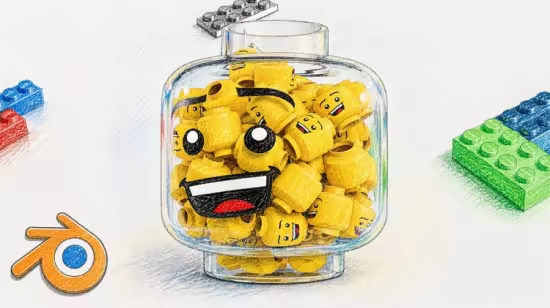
学习在Blender中从头创建逼真的乐高头部模型,掌握建模、材质、灯光、动画及合成技巧。本课程涵盖专业塑料与玻璃材质制作、工作室级布光、平滑动画及后期润色,适合零基础学员快速产出高质量产品级动画。
Published 5/2026
MP4 | Video: h264, 1920×1080 | Audio: AAC, 44.1 KHz, 2 Ch
Language: English | Duration: 2h 1m | Size: 2.43 GB
Learn modeling, materials, lighting, animation, and compositing to create a clean Lego animation in Blender!
What you’ll learn
Create a clean and realistic Lego head model from scratch in Blender
Build professional materials for plastic and glass objects
Set up studio lighting for high-quality product-style renders
Animate smooth and visually appealing product rotations
Use camera techniques like depth of field for cinematic results
Enhance final renders using compositing and color correction
Understand the full workflow from modeling to final render
Requirements
No prior Blender experience is required
Basic computer skills and ability to navigate software
Blender installed (any recent version)
A computer capable of running Blender smoothly
Willingness to learn and experiment with 3D tools
Description
Blender Lego Head Animation Course
Want to create clean, professional-looking 3D animations in Blender? In this course, you’ll learn how to build a stylized Lego head product animation from scratch using techniques that can be applied to portfolio work, social media, or commercial projects.
What you’ll learn
In this course, we go step by step through the full workflow
• Modeling a realistic Lego head with correct proportions and details
• Creating materials and shaders for plastic and glass
• Setting up studio lighting for clean reflections and highlights
• Building a smooth, product-style animation
• Working with camera, depth of field, and composition
• Using compositing to enhance colors, glare, and overall quality
By the end, you’ll know how to turn a simple idea into a polished final render that looks like a real product shot.
Why this course stands out
This is more than just a typical Blender tutorial.
You’ll develop the mindset of a 3D artist focused on product visualization and learn how to
• Create renders that look clean, polished, and professional;
• Manage lighting and reflections, especially for glass and plastic materials;
• Develop simple yet visually appealing animations;
• Present your work in a portfolio-ready manner.
After this course
You’ll have a solid foundation to explore more advanced topics such as Geometry Nodes, physics simulations, advanced shaders, and cinematic animation techniques.
此处内容需要权限查看
会员免费查看


